Escalation Path Discovery
Is Engineering Already on This?
The workaround didn’t hold, and now the ticket needs an engineer. Before you escalate, you want to know whether this is a one-off or the twelfth time this month, and whether anyone is already working on it. One question comes to mind.
Is engineering already on this?
Often, yes. Repeat issues show up in tickets, the root cause gets discussed in team chat and the fix gets planned in a ticket or doc. Nobody has connected them for you.
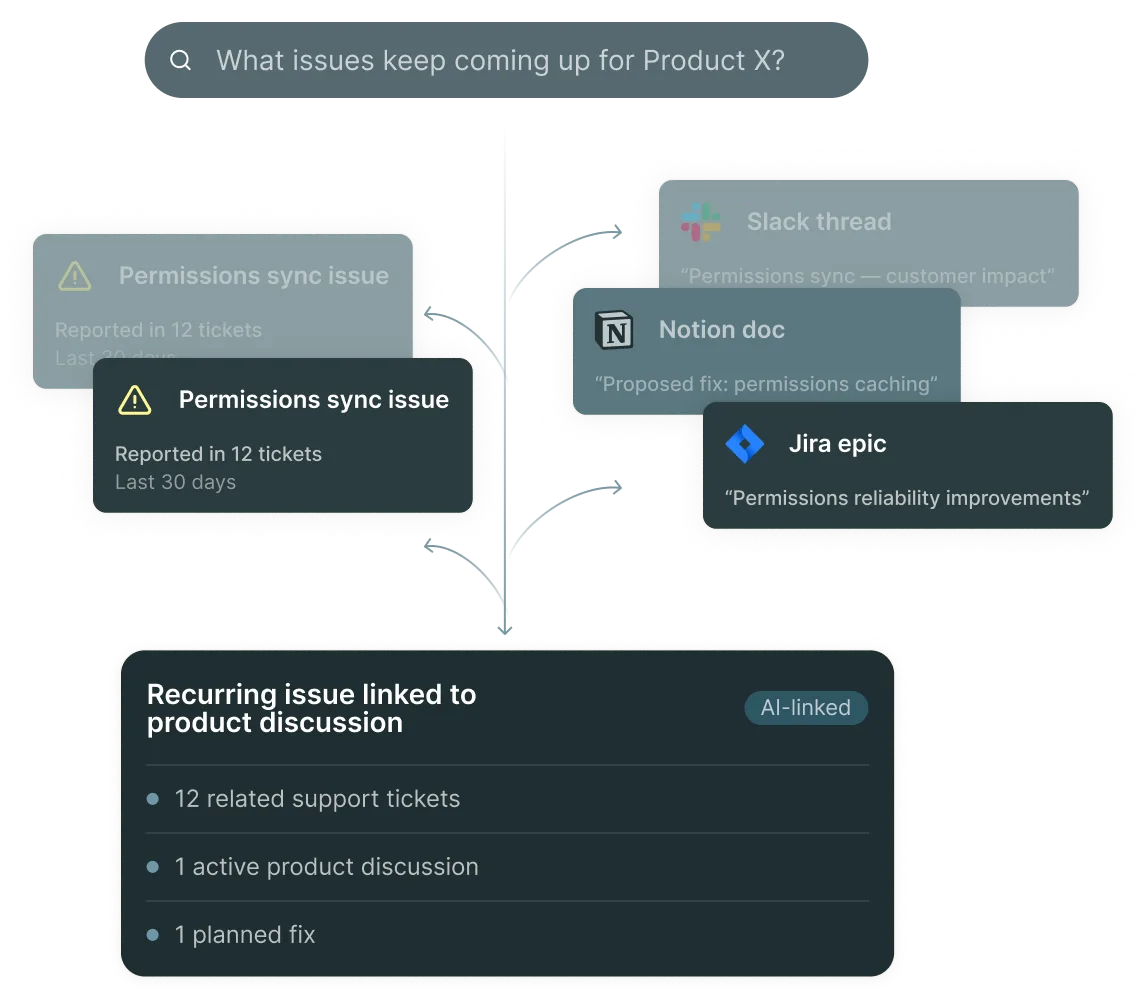
Think of Atolio as the bridge between support and product. Ask what keeps coming up, and it links the related tickets to the product discussion and the planned fix, with a link to each source.
Example: A Recurring Issue
What to Expect
How Atolio Found It
You asked what keeps coming up. Atolio searched your tickets, team chat, docs and issue tracker, then linked the related tickets to the product discussion and the planned fix.
Each part links to its source. So your escalation can point engineering straight to the thread and the epic, with the customer’s ticket attached.
Avoid These Traps
- Looking at one ticket alone. A single report can look like a one-off. Ask how many customers hit the same issue this quarter, so engineering sees the full impact.
- Trusting an old escalation doc. Owners and on-call rotations change. Check the date on the source, and ask who has worked on the issue most recently before you reach out.
- Losing track after you escalate. Later, ask “What’s the latest on [issue]?” Atolio pulls the newest updates from the thread, ticket and epic for you.
What Atolio Does (and Doesn’t)
- Link tickets to product discussions
- Find owners and escalation docs
- Link every answer to its source
- Escalate without your input
- Show you anything you can’t access
- Know about issues nobody reported
Try It: Your Next Escalation
Who owns [product area], and what's the escalation path?Key Takeaways
- Connect the ticket to related product work
- Find the right owner and escalation path
- Check if it’s already a known issue