Customer History & Context Lookup
What’s Their Story?
A customer calls about their renewal. You don’t know they have three open tickets, or that sales is talking to them about expanding. The call is about to get awkward. Before you pick up, you need one answer.
What’s their story?
It’s all on record, just spread out. The tickets are in your help desk, the account details are in your CRM and the roadmap items they care about live in your docs.
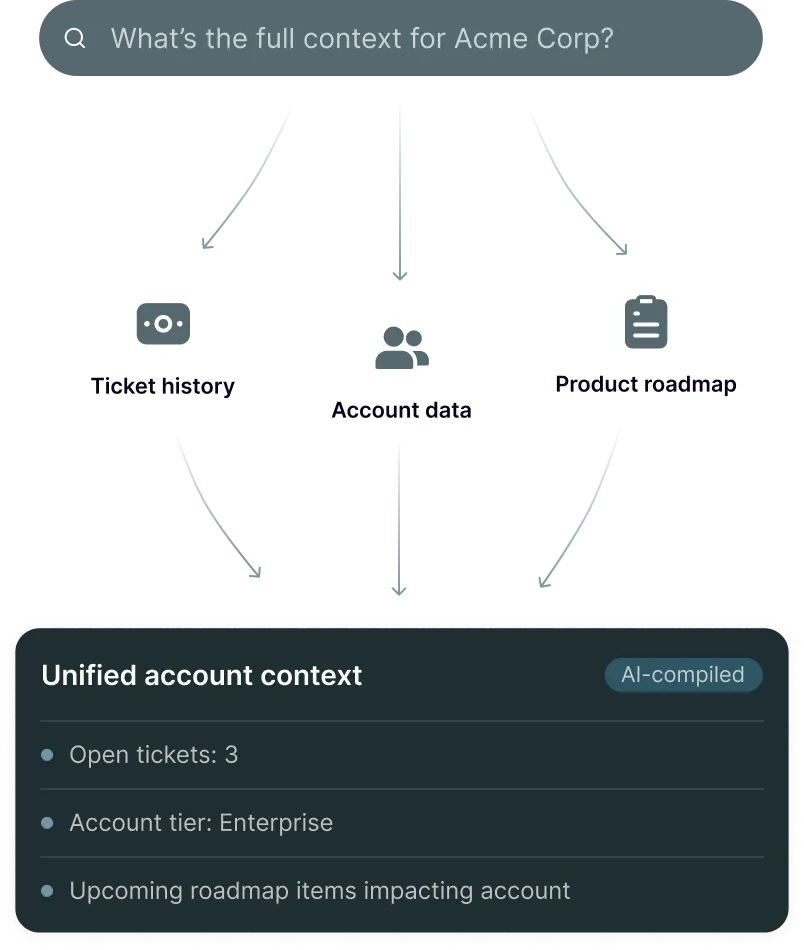
Think of Atolio as a briefing you get before every call. Ask about the customer, and it brings their open tickets, account details and the roadmap items that affect them into one view, with a link to each source.
Example: The Acme Corp Account
What to Expect
How Atolio Found It
You asked about one customer. Atolio searched your help desk, CRM and docs, then pulled the open tickets, the account details and the relevant roadmap items into one view.
Each part links to its source. So you can read the tickets in order and see what’s still open before you reply.
Avoid These Traps
- Asking only about tickets. Tickets tell part of the story. Ask about the account too, like its tier, renewal and open requests, so nothing catches you off guard.
- Reading only the summary. A short line like “3 open tickets” can hide a frustrated customer. Open the tickets and read them in order before you reply.
- The answer may not exist. If a promise was only made on a call nobody wrote up, Atolio can’t find it. Check with the account owner before you reply.
What Atolio Does (and Doesn’t)
- Pull tickets and account history
- Help you spot what’s still open
- Link every answer to its source
- Reply to customers without your input
- Show you anything you can’t access
- Know promises nobody wrote down
Try It: Your Next Call
What tickets and requests has [customer] had lately?Key Takeaways
- Summarize the customer’s full history
- Find out who’s worked on the account
- Check which tickets are actively open