Cross-Functional Project Discovery
Is This Really on Track?
The CEO wants an update on the Enterprise AI initiative. Engineering says it’s on track, finance has its own spreadsheet and the latest discussion is buried in a chat thread. Before you call yet another status meeting, you need to answer one question.
Is this really on track?
The truth is usually already written down. The numbers are in your CRM, the plan is in your docs and the blockers come up in team chat. No one has put them side by side.
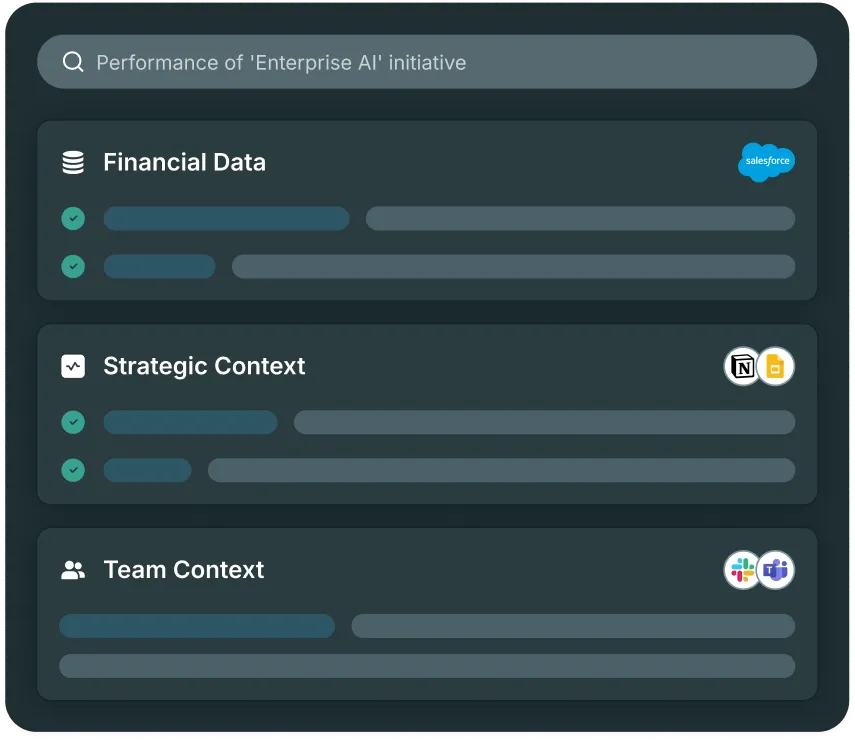
Think of Atolio as a status meeting you don’t have to schedule. Ask about the initiative, and it brings the financials, the strategic context and the team discussion into one view, with a link to each source.
Example: An AI Initiative
What to Expect
How Atolio Found It
You asked about one initiative. Atolio searched your CRM, docs and team chat, then grouped what it found into financials, strategic context and team discussion.
Each part links to its source. So when one team’s update doesn’t match another’s, you can open both and see where the gap is.
Avoid These Traps
- Taking one team’s word for it. A single update shows one view. Ask about the initiative across teams, then compare what each one reports before you update the slide.
- Asking only about status. “Is it on track?” gets you a yes or a no. Follow up on open issues and dependencies, so you can spot the blocker one team tracked alone.
- Missing who’s doing the work. Docs show what’s planned, not who to call. Ask Atolio who has worked on the initiative in each team, so you know who to loop in.
What Atolio Does (and Doesn’t)
- Pull updates from every team’s tools
- Provide an executive summary
- Link every answer to its source
- Set priorities without your input
- Show you anything you can’t access
- Replace talking to the project lead
Try It: Your Biggest Initiative
What's the latest status and risks for [initiative]?Key Takeaways
- Summarize updates from every team
- Open the source behind each update
- Find out who has worked on a project