Technical Sales Support
Has Anyone Answered This Already?
A security questionnaire lands the week before a POC, and half the questions look familiar. You know a teammate answered something like this last quarter, but the answer is buried in a ticket, a spec or a thread. So you start to wonder.
Has anyone answered this already?
Chances are, someone has. The approved answers, the integration specs and the notes from past reviews are already written down, just spread across your tools.
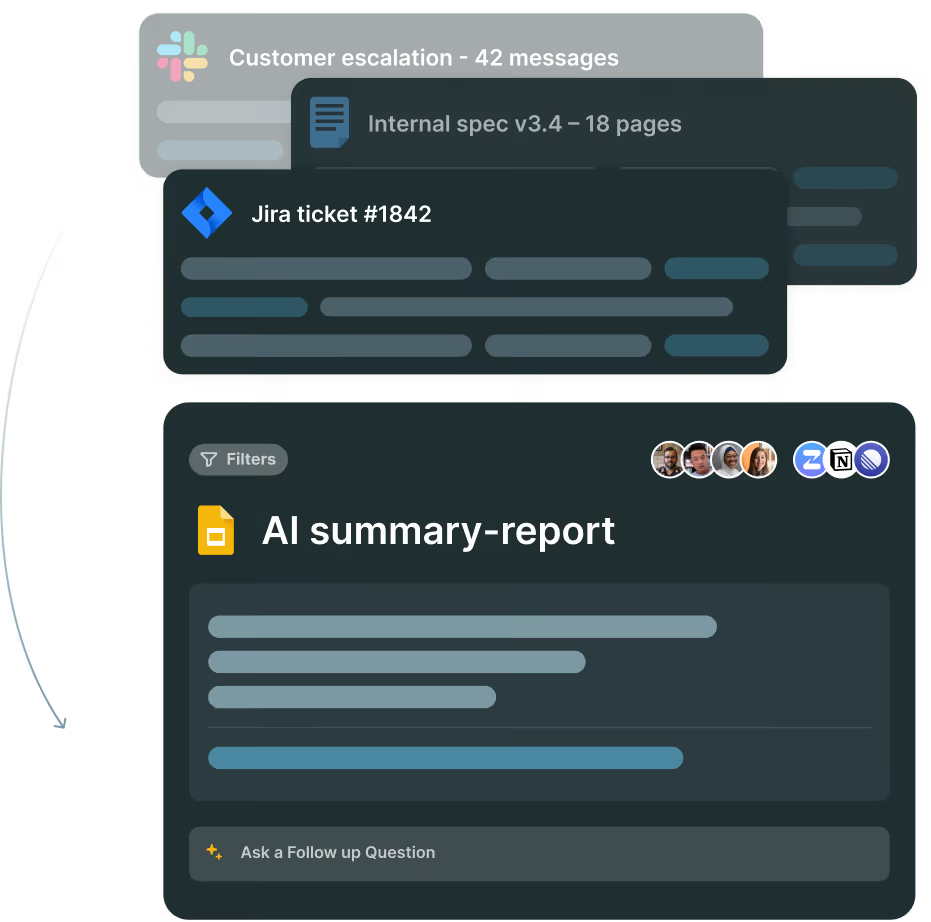
Think of Atolio as a colleague who worked every technical deal before yours. Ask about the requirement, and it pulls the relevant specs, tickets and threads into one summary, with a link to each source.
Example: A Security Review
What to Expect
How Atolio Found It
You asked about a requirement. Atolio searched your team chat, docs and ticketing tool for the reviews, specs and tickets that covered it, and summarized what it found.
You can keep asking follow-up questions from the same summary, and every answer links to its source. So you can confirm the approved wording before anything goes to the customer.
Avoid These Traps
- Asking too much at once. A long list of questions gets you a long, general answer. Ask Atolio one section at a time, like security first, then integrations.
- Add context if needed. The more you tell Atolio, the better it matches. Add the customer, their setup and the exact requirement, like SOC 2 for a healthcare customer on Azure.
- It’s ok to start fresh. After many follow-ups, answers can drift. When you switch topics or the thread gets crowded, start fresh with a new question.
What Atolio Does (and Doesn’t)
- Find past specs, tickets and threads
- Show who answered it before
- Answer your follow-up questions
- Approve an answer for the customer
- Show you anything you can’t access
- Guess when there’s no source
Try It: Your Next Questionnaire
How did we answer security questions in recent deals?Key Takeaways
- Ask section by section, not all at once
- Confirm an answer is still approved
- Follow up from the same summary