Incident Response & Postmortems
Who Can I Ask?
Picture it. It’s late, the alert won’t stop, and you’ve found the error, but not the person who knows this service. The owner moved teams, the channel is quiet and the fix from last time is buried somewhere. One question takes over.
Who can I ask?
Atolio answers it in one place. Ask about the error, and you get who owns the service, what changed recently and how the team fixed it last time, with a link to each source.
Think of it as having your team’s memory on call with you.
Example: A Risky Deploy
What to Expect
How Atolio Found It
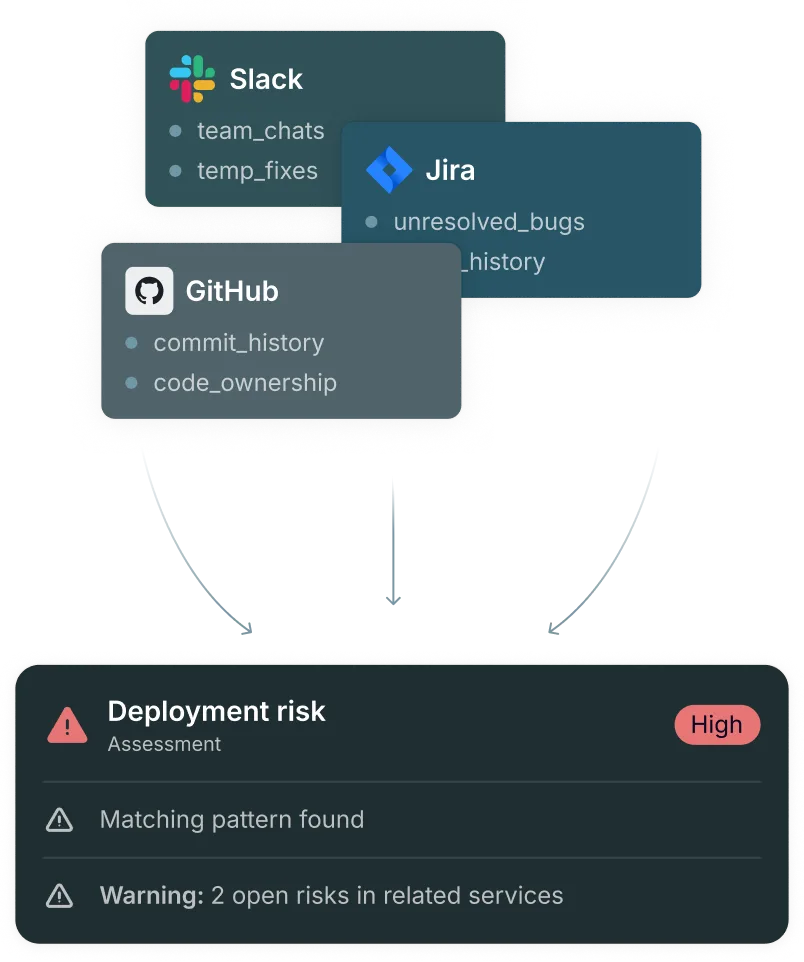
You started from what broke. Atolio looked across your team chat, tickets and code history for that service and found the chats where people shared fixes, the open bugs and the recent commits.
It lined them up into one picture, so you can see what changed, whether this has happened before and who owns the code, with a link to each source.
Avoid These Traps
- Paraphrasing the error. Paste the exact message. Small details, like an error code, are often what match a past incident.
- Asking everything at once. Start with what broke, then follow up on what changed, then who to call. One question at a time keeps each answer focused.
- Treating the answer as the fix. Atolio shows you what happened before. You still decide what to do now, and your runbook still comes first.
What Atolio Does (and Doesn’t)
- Find past incidents and recent changes
- Identify the subject matter expert
- Show how it was fixed last time
- Guess at the root cause
- Show you anything you can’t access
- Know about changes nobody logged
Try It: Your Last Alert
Has [service] had incidents like [error message] before?Key Takeaways
- Most incidents have previous resolutions
- Paste the exact error and ask one thing at a time
- Follow up to connect what broke to what changed