Finding Code Context & Decisions
Is This Accurate?
So you go looking. You find a design doc from two years ago, a newer page that says something different and a chat thread where someone mentions it changed after an outage. Three sources, three versions of the story. Before you touch anything, you have to ask yourself one thing.
Is this accurate?
That’s where Atolio helps. Ask why the code works the way it does, and it searches those docs, tickets and threads together, then brings back the reasoning with a link to every source.
Think of it like a teammate who has read the docs and threads, and always shows their work. You can see where each part of the answer came from, open the original and decide for yourself.
Example: The Checkout API
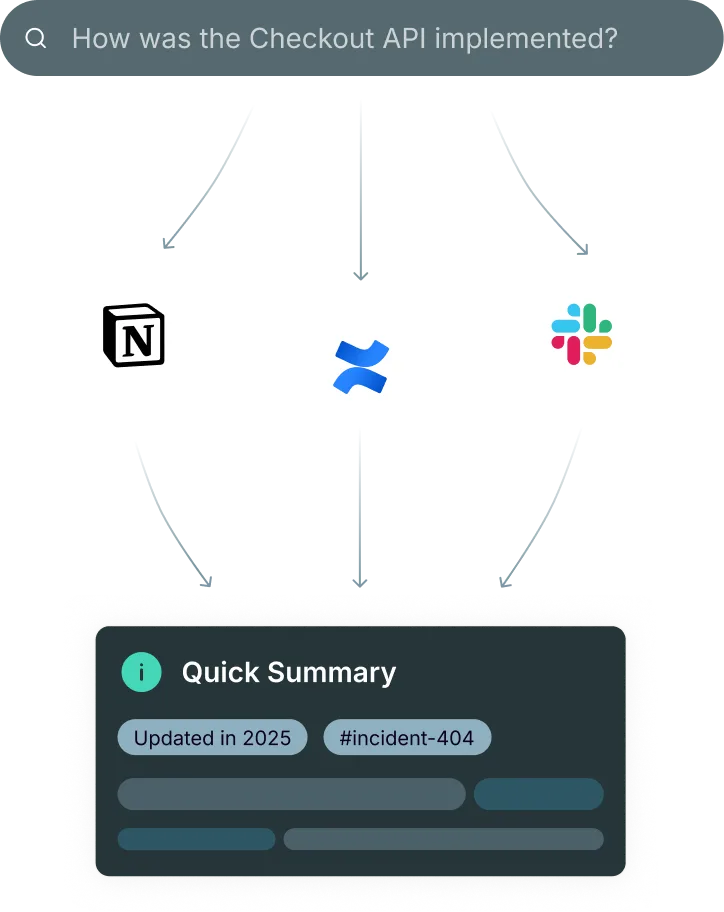
What to Expect
How Atolio Found It
You asked why, not just what. Atolio searched your specs, decision records and team chat for what was written about the Checkout API, and pulled the reasoning into one answer.
Each part of that answer links to its source. So when two docs disagree, you can see exactly which one said what, and when.
Avoid These Traps
- Asking “what” when you mean “why.” “What does this code do?” gets you a description. “Why does Checkout retry this way?” gets you the reasoning behind it.
- Trusting the first source you see. A decision can change after the doc is written. Open the links and check the dates before you rely on one.
- Reasons that no longer apply. A workaround made sense when it was added. Follow up and ask whether the problem it solved still exists.
What Atolio Does (and Doesn’t)
- Find the why in specs and threads
- Link every answer to its source
- Show what’s already been tried
- Show you anything you can’t access
- Find a decision nobody wrote down
- Make a decision without your input
Try It: Your Own Code
Why does [API or service] work this way?Key Takeaways
- The code reasoning is likely well-documented
- Ask why, and name the code you’re looking at
- Follow up to check whether the reason still holds