See how support teams find past fixes and customer history in one search.
Customer Support · Lesson 1 of 5 · 3 min
Atolio Works with Every Part of the Support Workflow
Ask one question and Atolio searches your tickets, help articles, docs and chat together, with answers that link to their sources. Your admin picks which tools are connected. These are just a few of the most common applications.
Select a logo to see what Atolio can search there.
Go from Searching to Knowing
The answers your team needs already exist, scattered across tickets, help articles, docs and chat. Atolio brings them together in one answer, so you spend less time searching and more time helping customers.
Old way
The answers exist. Finding them is the problem.
New way
Unlock institutional knowledge, unlock potential.
Built for Everyone on the Support Team
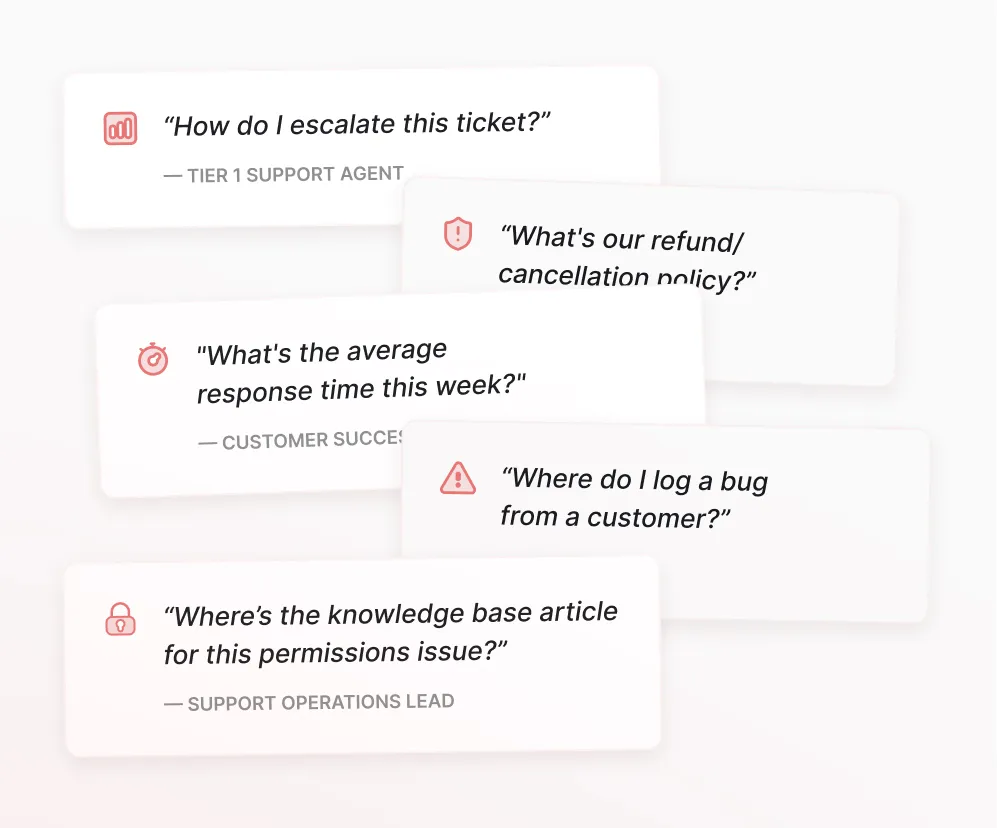
From the Tier 1 agent answering the first ticket to the ops lead tuning the playbook, everyone gets answers from the same tools. Open a role to see the questions it asks most.
Tier 1 Support Agent
Find answers to customer questions across every knowledge source, so you can resolve tickets without escalating.
See how Atolio can help
“How do I troubleshoot [error message] for customers on [product or plan]?”
“Show me step-by-step guides for [common task] that I can send to customers”
“What's the workaround for [known issue] until it's fixed?”
“Find similar tickets to this issue and how they were resolved”
“What are the requirements and limits for [feature] the customer is asking about?”
Technical Support Engineer (TSE)
Find technical docs, past escalations and engineering notes, so you can diagnose complex issues and unblock customers.
See how Atolio can help
“Show me past cases involving [integration or API endpoint] and their root causes”
“Find engineering notes and known bugs related to [system behavior]”
“What diagnostic steps and logs do I need to collect for [issue type]?”
“Pull configuration examples and best practices for [advanced feature setup]”
“Show me recent product updates or changes that could explain this behavior”
Customer Success Manager (CSM)
Find account history, adoption notes and expansion playbooks, so you can keep customers and grow accounts.
See how Atolio can help
“Show me this account's support history, feature requests and past escalations”
“What expansion plays have worked for similar customers in [industry or segment]?”
“Find QBR templates and health score criteria for enterprise accounts”
“Pull best practices for driving adoption of [feature] with customers”
“What renewal risk signals should I watch for in support patterns?”
Support Operations Lead
Find support metrics, process gaps and team insights, so you can improve team performance and the customer experience.
See how Atolio can help
“What are our top ticket drivers, and which ones lack good documentation?”
“Show me escalation patterns and resolution times by issue category”
“Find the macros, templates and workflows for [ticket type or scenario]”
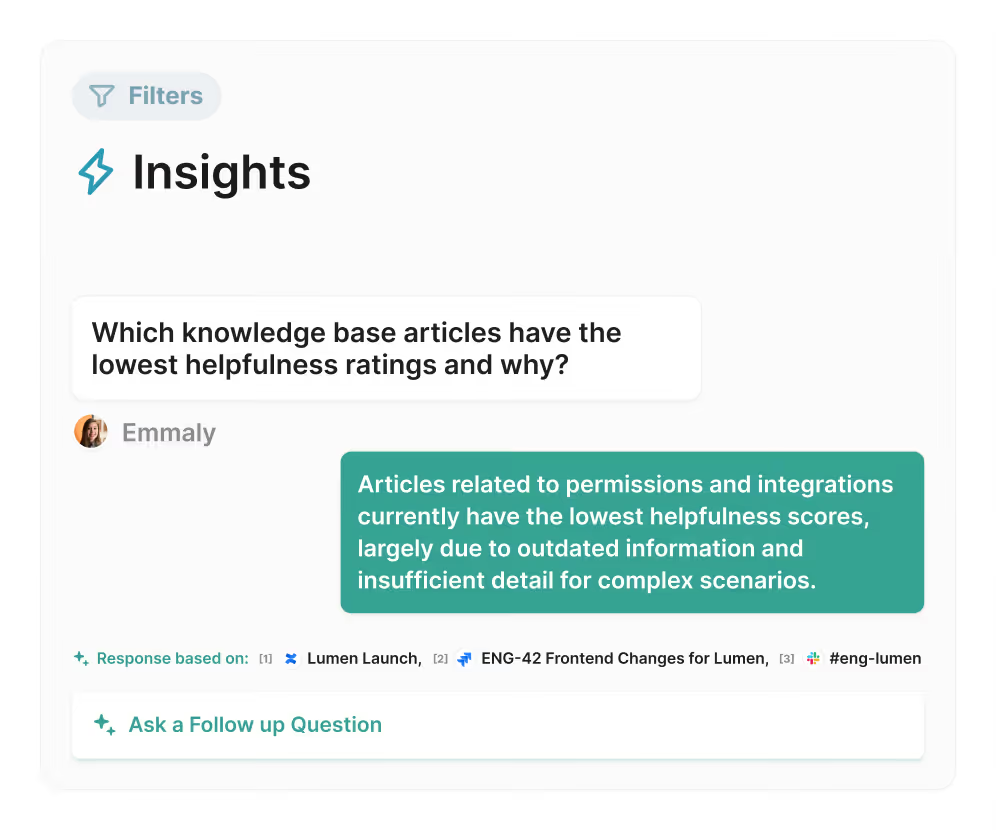
“Which knowledge articles get searched often but still don't resolve tickets?”
“Pull onboarding materials and SOPs for new support agent training”
Up NextFind the past fix or KB article you need to close a case.
2 - Ticket & Case Resolution
Find the past fix or KB article you need to close a case.
Customer Support · Lesson 2 of 5 · 3 min
Most tickets come with a history, because something like them has happened before.
Haven’t We Fixed This Before?
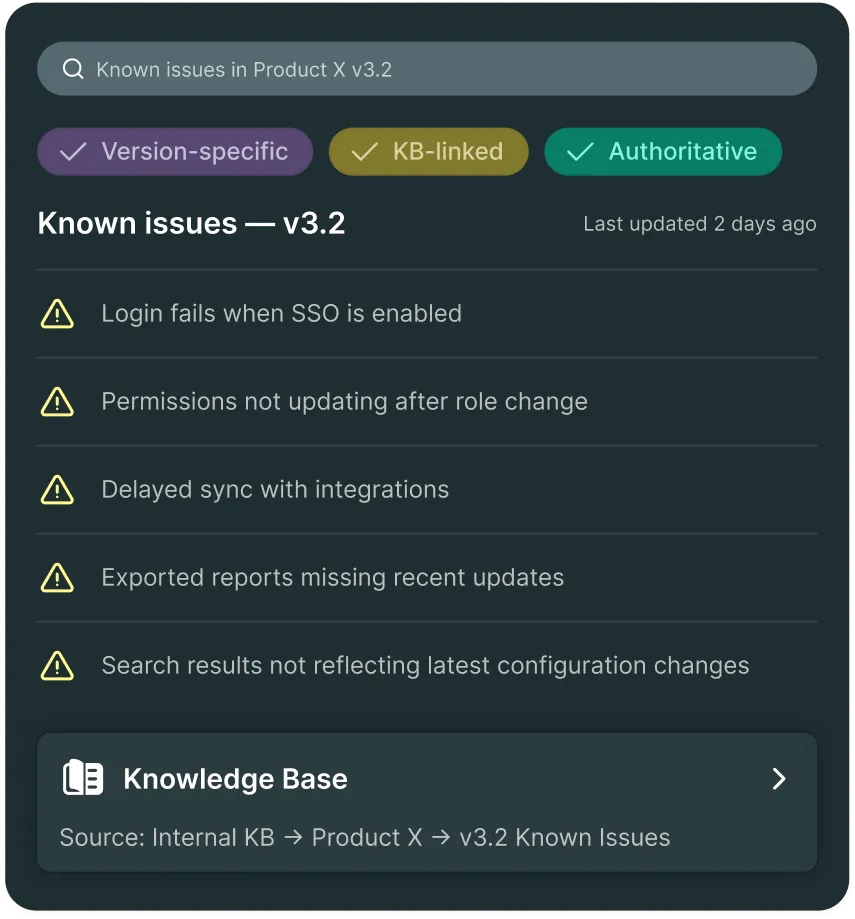
A customer says their login fails after they turned on SSO. It sounds familiar. You’re pretty sure someone fixed it a few months ago, but was it in a ticket, a help article or a chat thread? Before you start from scratch, you wonder.
Haven’t we fixed this before?
Probably. Fixes live in old tickets, the knowledge base and engineering notes. The hard part is finding the one that matches this customer’s version.
Think of Atolio as your team’s case history, searchable in plain language. Describe the problem, and it brings back the known issues, the fix and the article worth sharing, with a link to each source.
Example: A Known Issue
Example
Use CaseFind the Known Issue and the Article to Share in One Search
Known issues in Product X v3.2
Connectors in This Example
Select a connector to see what Atolio looks for there.
In Zendesk, Atolio looks for Past tickets and Help Center articles.
In Confluence, Atolio looks for Internal KB pages and known issue lists.
What to Expect
How Atolio Found It
You asked about one product version. Atolio searched your tickets and knowledge base, pulled the known issues for that version and linked the article that covers them.
Each one links to its source. So before you reply, you can open the article and make sure you’re sharing the right version with the customer.
Avoid These Traps
Starting every reply from scratch. A teammate may have answered the same issue before. Ask “How did we resolve [issue] last time?” and build your reply from there.
Searching only the knowledge base. The fix may live in a chat thread or an engineering ticket instead. Leave out the source and Atolio checks every connected app.
Leaving a new fix undocumented. If you solved something new, write it up in the ticket or an article. Once it’s saved, Atolio can find it for the next person who asks.
What Atolio Does (and Doesn’t)
It will
Find past fixes and known issues
Link the article worth sharing
Answer your follow-up questions
It won't
Reply to customers without your input
Show you anything you can’t access
Know fixes nobody wrote down
Try It: Your Next Ticket
Try It NowCopy this into Atolio and swap the [brackets] for your own details.
Has [error message] come up before, and how was it fixed?
Key Takeaways
Key Takeaways
Find out how the issue was solved before
Search every connected app, not just the KB
Make sure documentation exists today
Up NextGet a customer’s full story before every reply or call.
3 - Customer History & Context Lookup
Get a customer’s full story before every reply or call.
Customer Support · Lesson 3 of 5 · 3 min
Every customer has a story, and the best replies start from it.
What’s Their Story?
A customer calls about their renewal. You don’t know they have three open tickets, or that sales is talking to them about expanding. The call is about to get awkward. Before you pick up, you need one answer.
What’s their story?
It’s all on record, just spread out. The tickets are in your help desk, the account details are in your CRM and the roadmap items they care about live in your docs.
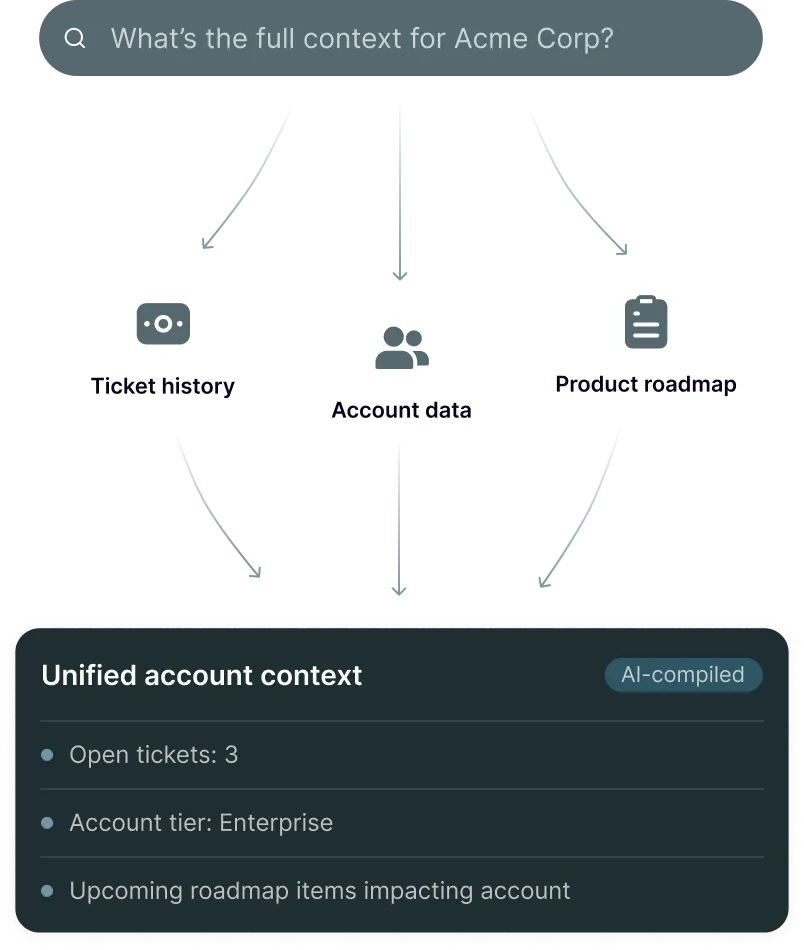
Think of Atolio as a briefing you get before every call. Ask about the customer, and it brings their open tickets, account details and the roadmap items that affect them into one view, with a link to each source.
Example: The Acme Corp Account
Example
Use CaseWalk into Every Ticket Already Knowing the Customer
What's the full context for Acme Corp?
Connectors in This Example
Select a connector to see what Atolio looks for there.
In Zendesk, Atolio looks for The customer’s tickets and comments.
In Salesforce, Atolio looks for Account details, cases and opportunities.
In Notion, Atolio looks for Roadmap pages for features they asked for.
What to Expect
How Atolio Found It
You asked about one customer. Atolio searched your help desk, CRM and docs, then pulled the open tickets, the account details and the relevant roadmap items into one view.
Each part links to its source. So you can read the tickets in order and see what’s still open before you reply.
Avoid These Traps
Asking only about tickets. Tickets tell part of the story. Ask about the account too, like its tier, renewal and open requests, so nothing catches you off guard.
Reading only the summary. A short line like “3 open tickets” can hide a frustrated customer. Open the tickets and read them in order before you reply.
The answer may not exist. If a promise was only made on a call nobody wrote up, Atolio can’t find it. Check with the account owner before you reply.
What Atolio Does (and Doesn’t)
It will
Pull tickets and account history
Help you spot what’s still open
Link every answer to its source
It won't
Reply to customers without your input
Show you anything you can’t access
Know promises nobody wrote down
Try It: Your Next Call
Try It NowCopy this into Atolio and swap the [brackets] for your own details.
What tickets and requests has [customer] had lately?
Key Takeaways
Key Takeaways
Summarize the customer’s full history
Find out who’s worked on the account
Check which tickets are actively open
Up NextKnow when to escalate, who owns it and what engineering knows.
4 - Escalation Path Discovery
Know when to escalate, who owns it and what engineering knows.
Customer Support · Lesson 4 of 5 · 3 min
Every escalation is a handoff, and a good one comes with the history attached.
Is Engineering Already on This?
The workaround didn’t hold, and now the ticket needs an engineer. Before you escalate, you want to know whether this is a one-off or the twelfth time this month, and whether anyone is already working on it. One question comes to mind.
Is engineering already on this?
Often, yes. Repeat issues show up in tickets, the root cause gets discussed in team chat and the fix gets planned in a ticket or doc. Nobody has connected them for you.
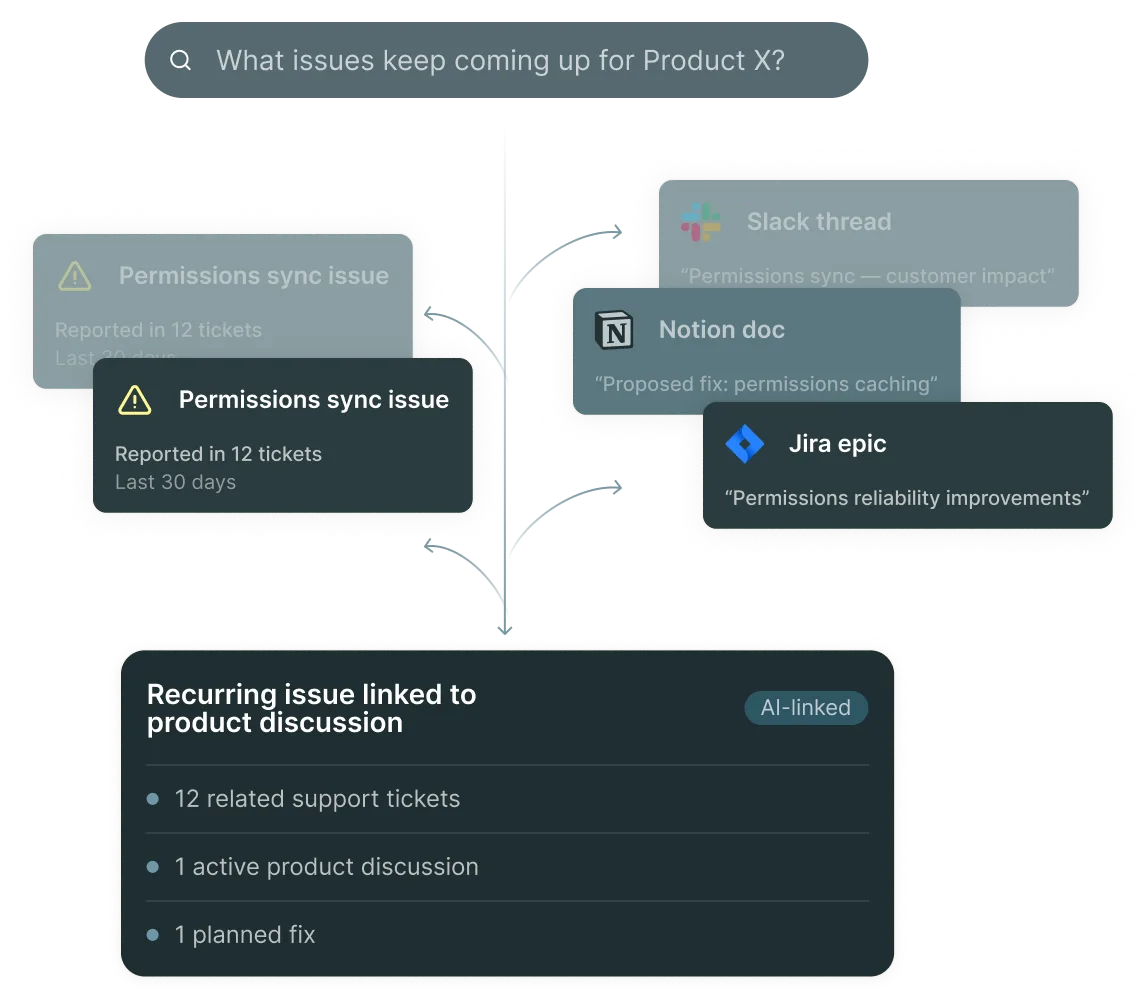
Think of Atolio as the bridge between support and product. Ask what keeps coming up, and it links the related tickets to the product discussion and the planned fix, with a link to each source.
Example: A Recurring Issue
Example
Use CaseConnect a Recurring Issue to What Engineering Already Knows
What issues keep coming up for Product X?
Connectors in This Example
Select a connector to see what Atolio looks for there.
In Zendesk, Atolio looks for The tickets where customers reported it.
In Slack, Atolio looks for Threads on customer impact.
In Notion, Atolio looks for Proposed fixes and design notes.
In Jira, Atolio looks for Epics and tickets for the planned fix.
What to Expect
How Atolio Found It
You asked what keeps coming up. Atolio searched your tickets, team chat, docs and issue tracker, then linked the related tickets to the product discussion and the planned fix.
Each part links to its source. So your escalation can point engineering straight to the thread and the epic, with the customer’s ticket attached.
Avoid These Traps
Looking at one ticket alone. A single report can look like a one-off. Ask how many customers hit the same issue this quarter, so engineering sees the full impact.
Trusting an old escalation doc. Owners and on-call rotations change. Check the date on the source, and ask who has worked on the issue most recently before you reach out.
Losing track after you escalate. Later, ask “What’s the latest on [issue]?” Atolio pulls the newest updates from the thread, ticket and epic for you.
What Atolio Does (and Doesn’t)
It will
Link tickets to product discussions
Find owners and escalation docs
Link every answer to its source
It won't
Escalate without your input
Show you anything you can’t access
Know about issues nobody reported
Try It: Your Next Escalation
Try It NowCopy this into Atolio and swap the [brackets] for your own details.
Who owns [product area], and what's the escalation path?
Key Takeaways
Key Takeaways
Connect the ticket to related product work
Find the right owner and escalation path
Check if it’s already a known issue
Up NextPractice prompts for every support role, from Tier 1 to support ops.
5 - Prompt Appendix: Support
Practice Atolio prompts for agents, TSEs, CSMs and support ops.
Customer Support · Lesson 5 of 5 · 2 min
Everything you’ve explored in this track, from your first ticket to your next escalation, is packaged here as ready-to-use prompts to help you get started.
What Do I Ask?
You’ve seen what Atolio can do. But the first time you open it on your own, the empty search box can stop you cold, and one question takes over.
What do I ask?
That’s the objective of this appendix. The prompts below are grouped by role and written the way you’d ask a teammate. Pick your role, copy a prompt, swap anything in [brackets] for your own details and run it.
Pick Your Role
Tier 1 Agent. Find troubleshooting guides, workarounds and past fixes.
How do I troubleshoot [error message] on [plan]?
When to use it Use it when a ticket arrives with an error you don’t recognize.
What you get Troubleshooting guides and past fixes, with links.
Find a customer-ready guide for [common task]
When to use it Use it when a customer needs help with a routine task.
What you get Help Center and KB articles, ready to share.
What's the workaround for [known issue]?
When to use it Use it when a customer hits a bug engineering already knows about.
What you get The workaround and where it came from.
Find similar tickets and how they were resolved
When to use it Use it before you start troubleshooting from scratch.
What you get Past tickets with the same symptoms and their fixes.
What are the requirements and limits for [feature]?
When to use it Use it when a customer asks whether something is supported.
What you get Docs on the feature’s requirements and limits.
Support Engineer. Find past cases, known bugs and diagnostic steps.
Show me past cases and root causes for [integration]
When to use it Use it when an integration issue reaches you.
What you get Past cases and escalations with their root causes.
Find known bugs related to [system behavior]
When to use it Use it when a behavior looks like a bug.
What you get Bug tickets and engineering threads, with sources.
What logs should I collect for [issue type]?
When to use it Use it before you ask the customer for more information.
What you get The guide that lists what to collect for that issue.
Pull setup examples for [advanced feature]
When to use it Use it when a customer is setting up something complex.
What you get Setup guides and examples, with links.
What changed recently that could explain this?
When to use it Use it when something that used to work stops working.
What you get Release notes and change tickets from that time.
Customer Success. Find account history, adoption guides and risk signals.
Show me [account]'s tickets, requests and escalations
When to use it Use it before a renewal or check-in call.
What you get Tickets, requests and escalations, with sources.
What expansion plays worked for similar customers?
When to use it Use it before an upsell or cross-sell conversation.
What you get Expansion plays from similar customers, with links.
Find QBR templates and health score criteria
When to use it Use it when you prepare a QBR.
What you get QBR templates and health score docs, with sources.
How do we drive adoption of [feature]?
When to use it Use it when an account isn’t using a feature they paid for.
What you get Adoption guides and CS notes, with links.
What renewal risks show up in support patterns?
When to use it Use it when you want to catch renewal risk early.
What you get Recent tickets and notes that hint at risk.
Support Operations. Find ticket drivers, macros and training materials.
What are our top ticket drivers?
When to use it Use it when you plan what to document next.
What you get Ticket themes and the KB articles that cover them.
Show me escalation patterns by issue category
When to use it Use it before a support review.
What you get Escalation tickets and related reports, with links.
Find the macros and templates for [ticket type]
When to use it Use it when you handle a ticket type you don’t see often.
What you get Macros, templates and workflow docs, with sources.
Which articles still don't resolve tickets?
When to use it Use it when you decide which KB articles to rewrite.
What you get Articles tied to tickets that still escalated.
Pull onboarding SOPs for new support agents
When to use it Use it when a new agent joins the team.
What you get Onboarding guides and SOPs for support agents.
Make It a Habit
Use natural languageAsk the way you’d ask a teammate.
Add a time frame“Last month” pulls in recent tickets.
Tell it where to lookAdd “check the KB” when you know.
Follow up if neededAsk again instead of starting over.
Up NextSee how Product teams find requests, history and feedback.