See how leaders use Atolio to find board decks, plans and past decisions.
Strategy & GM · Lesson 1 of 4 · 3 min
Atolio Works with Every Part of the Strategy Workflow
Ask one question and Atolio searches your decks, docs, wikis and chat together, with answers that link to their sources. Your admin picks which tools are connected. These are just a few of the most common applications.
Select a logo to see what Atolio can search there.
Go from Searching to Knowing
The answers your team needs already exist, scattered across decks, docs, wikis and chat. Atolio brings them together in one answer, so you spend less time chasing updates and more time deciding.
Old way
The answers exist. Finding them is the problem.
New way
Unlock institutional knowledge, unlock potential.
Built for Everyone on the Strategy Team
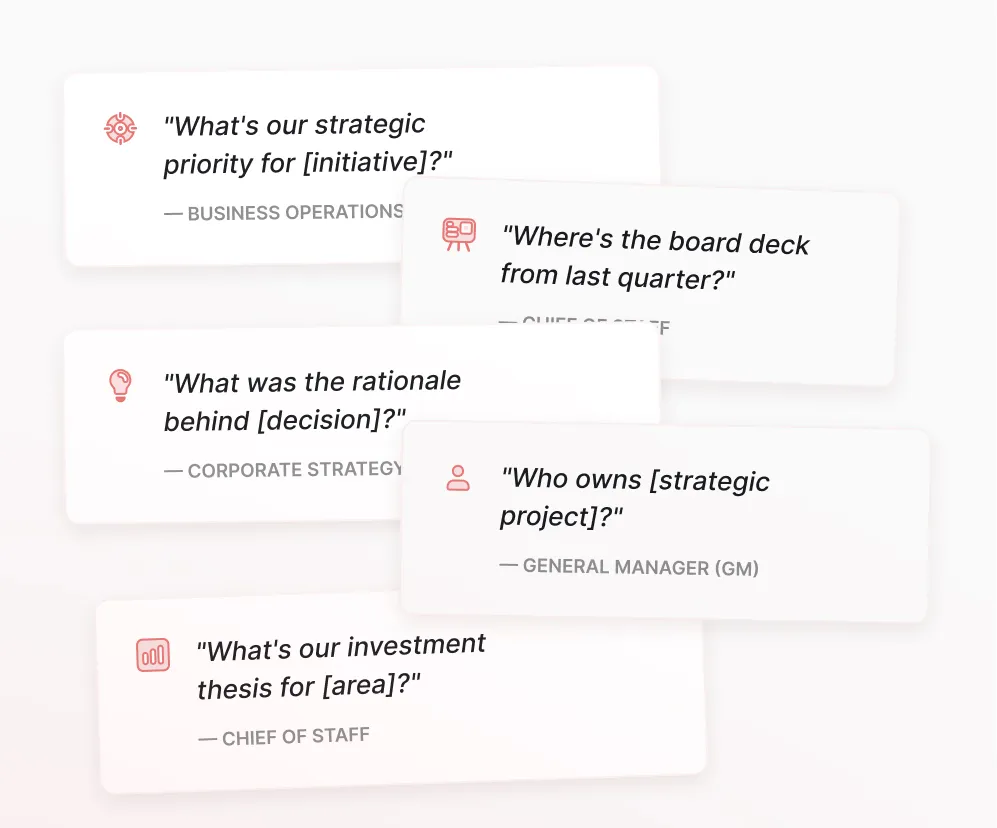
From the chief of staff prepping the board deck to the GM running the business, everyone gets answers from the same tools. Open a role to see the questions it asks most.
Business Operations (BizOps) Manager
Find cross-functional data, process docs and performance metrics, so you can improve operations and drive business outcomes.
See how Atolio can help
“Show me OKRs, KPIs and performance dashboards across all departments”
“Find process documentation and workflow maps for [business process]”
“What data sources and reporting exist for [metric or business area]?”
“Pull resource allocation and headcount planning models for [function or team]”
“Show me past business reviews and action items from leadership meetings”
Chief of Staff
Pull together executive briefings, strategic initiatives and cross-functional updates, so leadership stays informed and aligned.
See how Atolio can help
“Show me the strategic initiatives, owners and status updates across the company”
“Find board meeting materials and executive briefings from [time frame]”
“What are the key decisions, blockers and action items from recent leadership meetings?”
“Pull org charts, reporting structures and team makeup”
“Show me company-wide announcements for [topic or initiative]”
Corporate Strategy Associate
Find market research, financial models and competitive analysis, so you can back your recommendations and business cases.
See how Atolio can help
“Show me market sizing and competitive landscape analysis for [market or opportunity]”
“Find financial models and business cases for similar strategic initiatives”
“What M&A evaluation frameworks and integration playbooks do we have?”
“Pull industry reports and trend analysis relevant to [strategic question]”
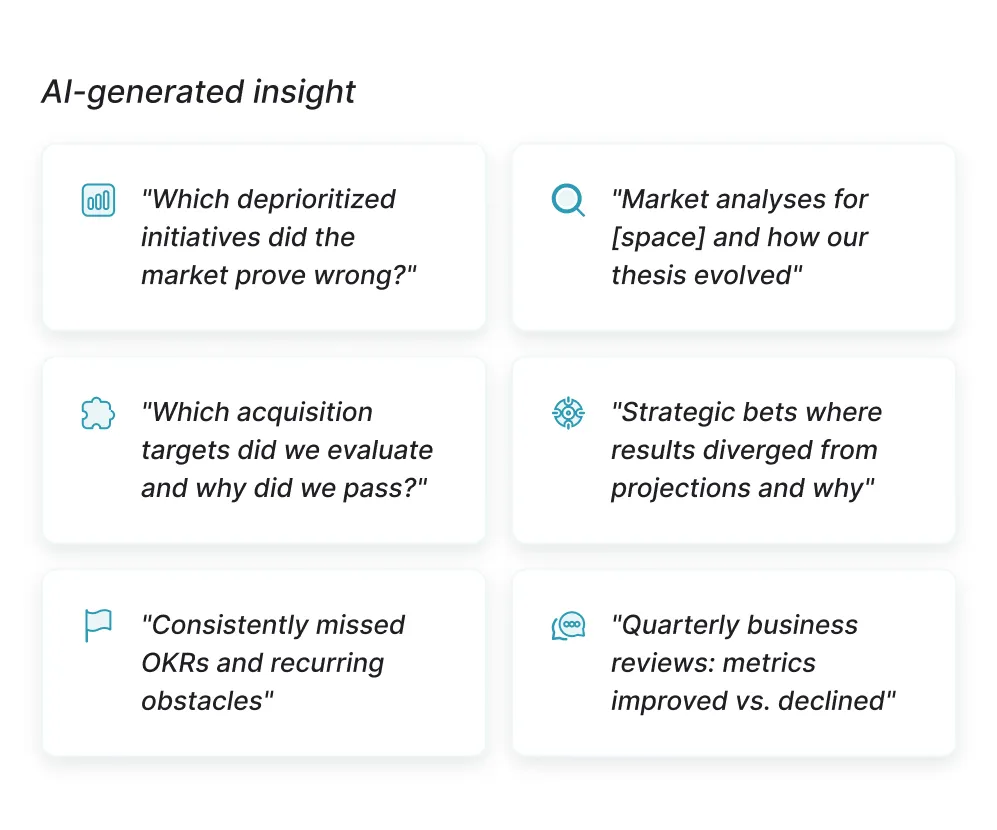
“Show me past strategic planning documents and their outcomes”
General Manager (GM)
Find P&L data, operating metrics and strategic context across functions, so you can make informed decisions about the business.
See how Atolio can help
“Show me the P&L breakdown, unit economics and margin analysis for [product or business unit]”
“Find go-to-market strategy and pricing models for [segment or region]”
“What are the key performance drivers and risks for [business area]?”
“Pull customer feedback, NPS scores and retention metrics for my portfolio”
“Show me resource plans, headcount allocation and budget forecasts”
Up NextPrep board and customer briefings with sources behind every line.
2 - Executive Briefing Prep
Prep board and customer briefings with sources behind every line.
Strategy & GM · Lesson 2 of 4 · 3 min
Every board meeting asks for the full story, from the original thesis to the latest numbers.
How Did We Get Here?
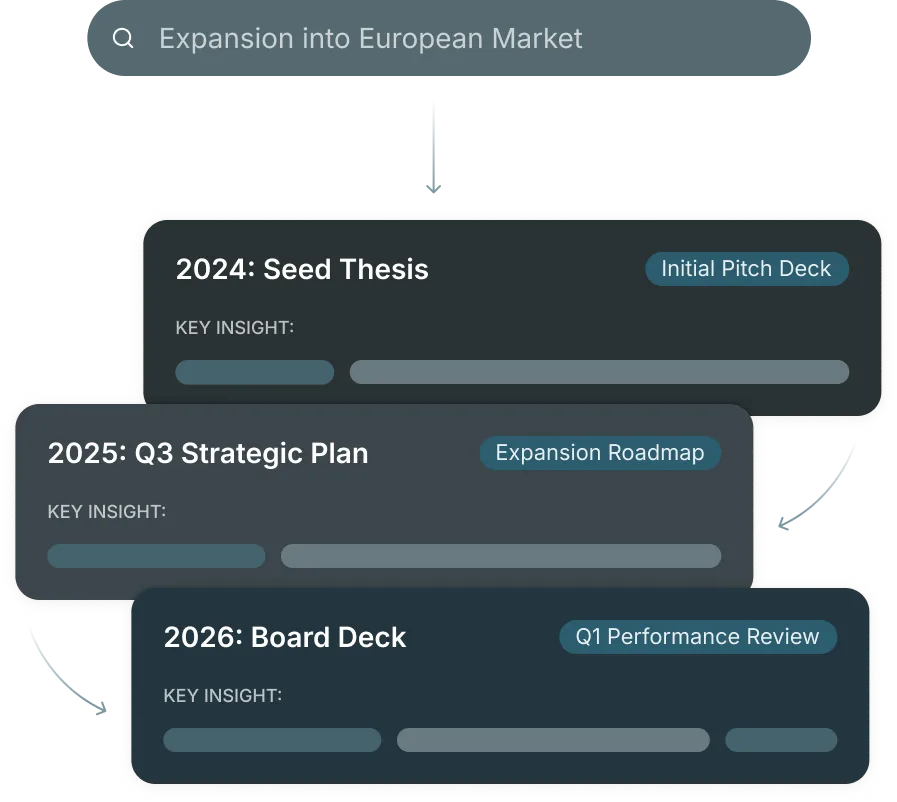
The board meets next week, and they want an update on the European expansion. You know the idea started as a pitch, turned into a plan and has shown up in board decks ever since. Pulling that story together means opening all of them. So you ask yourself one thing.
How did we get here?
Every step is already written down. The original thesis sits in an old deck, the strategic plan lives in your docs and last quarter’s review is in the board folder.
Think of Atolio as the company’s memory for big bets. Ask about the initiative, and it lines up the thesis, the plan and the latest review in order, with a link to each source.
Example: A Market Expansion
Example
Use CaseTrace a Big Bet from First Thesis to the Latest Board Deck
Expansion into European Market
Connectors in This Example
Select a connector to see what Atolio looks for there.
In Google Drive, Atolio looks for Board decks and the original pitch.
In Notion, Atolio looks for Strategic plans and roadmaps.
What to Expect
How Atolio Found It
You asked about one initiative. Atolio searched your decks and docs, found each document that shaped it and lined them up from first thesis to latest review.
Each one links to its source. So before anything goes on a slide, you can open the original deck and check the number in context.
Avoid These Traps
Asking for the whole briefing at once. “Prep my board update” is too big for one answer. Ask about each part, like performance or risks, one at a time.
Trusting a number out of context. Atolio links each figure to the deck or doc it came from. Open the source and check the number before it goes on a slide.
Missing what changed along the way. The latest deck shows where things stand, not why. Follow up and ask what changed between the plan and the last review.
What Atolio Does (and Doesn’t)
It will
Find every deck and plan on a topic
Line up how a strategy evolved
Link every number to its source
It won't
Set the strategy without your input
Show you anything you can’t access
Know decisions nobody wrote down
Try It: Your Next Board Update
Try It NowCopy this into Atolio and swap the [brackets] for your own details.
How has the plan for [topic] changed over time?
Key Takeaways
Key Takeaways
Search across past decks and plans
Check every number at its source
Follow up on what changed
Up NextGet a cross-team project’s real status without calling a meeting.
3 - Cross-Functional Project Discovery
Get a cross-team project’s real status without calling a meeting.
Strategy & GM · Lesson 3 of 4 · 3 min
Every cross-team project has moving parts, and each team tracks its own in a different tool.
Is This Really on Track?
The CEO wants an update on the Enterprise AI initiative. Engineering says it’s on track, finance has its own spreadsheet and the latest discussion is buried in a chat thread. Before you call yet another status meeting, you need to answer one question.
Is this really on track?
The truth is usually already written down. The numbers are in your CRM, the plan is in your docs and the blockers come up in team chat. No one has put them side by side.
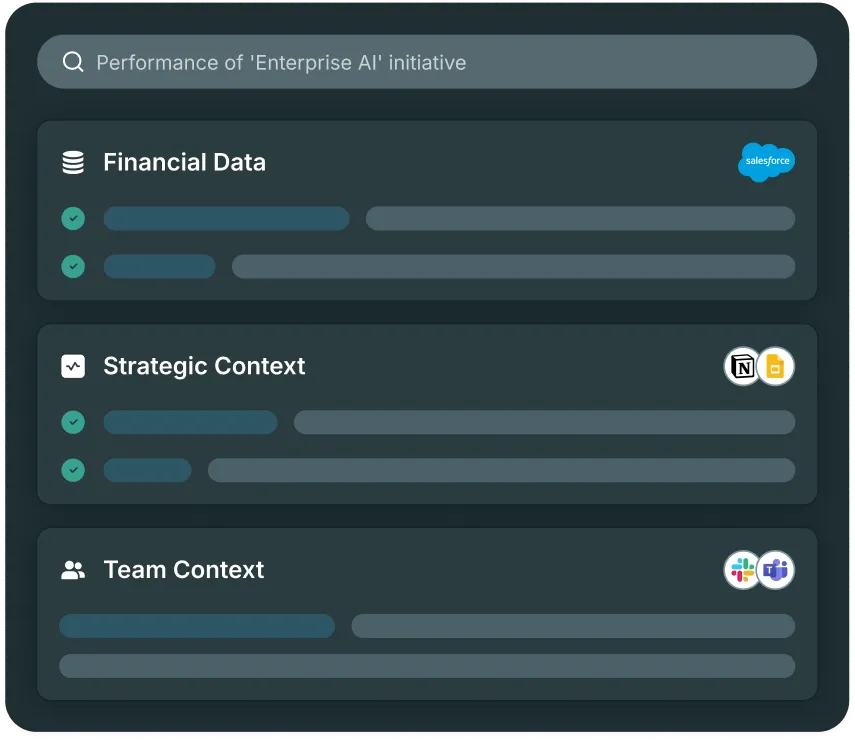
Think of Atolio as a status meeting you don’t have to schedule. Ask about the initiative, and it brings the financials, the strategic context and the team discussion into one view, with a link to each source.
Example: An AI Initiative
Example
Use CaseSee an Initiative's Numbers, Plans and Team Chatter in One View
Performance of 'Enterprise AI' initiative
Connectors in This Example
Select a connector to see what Atolio looks for there.
In Salesforce, Atolio looks for Pipeline and revenue tied to the initiative.
In Notion, Atolio looks for The initiative brief and strategic plans.
In Slack, Atolio looks for Team threads on progress and blockers.
What to Expect
How Atolio Found It
You asked about one initiative. Atolio searched your CRM, docs and team chat, then grouped what it found into financials, strategic context and team discussion.
Each part links to its source. So when one team’s update doesn’t match another’s, you can open both and see where the gap is.
Avoid These Traps
Taking one team’s word for it. A single update shows one view. Ask about the initiative across teams, then compare what each one reports before you update the slide.
Asking only about status. “Is it on track?” gets you a yes or a no. Follow up on open issues and dependencies, so you can spot the blocker one team tracked alone.
Missing who’s doing the work. Docs show what’s planned, not who to call. Ask Atolio who has worked on the initiative in each team, so you know who to loop in.
What Atolio Does (and Doesn’t)
It will
Pull updates from every team’s tools
Provide an executive summary
Link every answer to its source
It won't
Set priorities without your input
Show you anything you can’t access
Replace talking to the project lead
Try It: Your Biggest Initiative
Try It NowCopy this into Atolio and swap the [brackets] for your own details.
What's the latest status and risks for [initiative]?
Key Takeaways
Key Takeaways
Summarize updates from every team
Open the source behind each update
Find out who has worked on a project
Up NextPractice prompts for every strategy role, from BizOps to the GM.
4 - Prompt Appendix: Strategy & GM
Practice Atolio prompts for BizOps, chiefs of staff, strategy and GMs.
Strategy & GM · Lesson 4 of 4 · 2 min
Everything you’ve explored in this track, from your next board briefing to your biggest initiative, is packaged here as ready-to-use prompts to help you get started.
What Do I Ask?
You’ve seen what Atolio can do. But the first time you open it on your own, the empty search box can stop you cold, and one question takes over.
What do I ask?
That’s the objective of this appendix. The prompts below are grouped by role and written the way you’d ask a teammate. Pick your role, copy a prompt, swap anything in [brackets] for your own details and run it.
Pick Your Role
BizOps Manager. Find metrics, process docs and planning models.
Show me OKRs and KPIs across all departments
When to use it Use it before a quarterly review or planning cycle.
What you get OKR docs and metric write-ups from each department.
Find process docs and workflow maps for [process]
When to use it Use it before you change how a process works.
What you get Process docs and workflow maps for that process.
What reporting exists for [metric or business area]?
When to use it Use it when you need a number and don’t know who reports it.
What you get The reports that track that metric, and their owners.
Pull headcount planning models for [team]
When to use it Use it when you plan headcount or shift resources.
What you get Planning docs and headcount models, with sources.
Show me past business reviews and their action items
When to use it Use it before a business review, to see what was promised last time.
What you get Past review decks and their action items.
Chief of Staff. Find initiatives, board materials and decisions.
Show me our strategic initiatives and their owners
When to use it Use it before a leadership meeting or exec update.
What you get Initiative docs, owners and status updates.
Find board materials from [time frame]
When to use it Use it when you prep the next board meeting.
What you get Board decks and briefings from that period.
What did recent leadership meetings decide?
When to use it Use it to follow up after leadership meetings.
What you get Meeting notes with decisions, blockers and actions.
Pull org charts, reporting structures and team makeup
When to use it Use it when you plan a reorg or brief a new leader.
What you get Org charts and team docs, with links.
Show me company-wide announcements on [topic]
When to use it Use it before you write a new update on the same topic.
What you get Past announcements and all-hands notes on that topic.
Strategy Associate. Find market research, models and past plans.
Show me market sizing for [market or opportunity]
When to use it Use it when you start work on a new market or opportunity.
What you get Market research and competitive analysis docs.
Find business cases for similar initiatives
When to use it Use it before you build a business case from scratch.
What you get Past models and business cases, with links.
What M&A frameworks and playbooks do we have?
When to use it Use it when a deal or acquisition comes up.
What you get M&A frameworks and integration playbooks.
Pull industry reports on [strategic question]
When to use it Use it when you frame a strategic question for leadership.
What you get Industry reports and trend write-ups, with links.
Show me past strategic plans and their outcomes
When to use it Use it before this year’s planning, to learn from past plans.
What you get Past strategic plans and the reviews that followed.
General Manager. Find P&L data, GTM plans and business risks.
Show me the P&L and margins for [business unit]
When to use it Use it before a business review or pricing decision.
What you get The P&L and margin analysis for that unit.
Find GTM and pricing plans for [segment or region]
When to use it Use it before you enter or grow a segment or region.
What you get GTM plans and pricing docs, with sources.
What are the key drivers and risks for [business area]?
When to use it Use it when you prep a quarterly update on your business.
What you get Docs that call out drivers and risks, with links.
Pull NPS and retention metrics for my portfolio
When to use it Use it before a customer or portfolio review.
What you get Survey write-ups, CS notes and retention reports.
Show me headcount plans and budget forecasts
When to use it Use it during annual or quarterly planning.
What you get Budget forecasts, headcount and resource plans.
Make It a Habit
Use natural languageAsk the way you’d ask a teammate.
Add a time frame“Last quarter” pulls in recent reviews.
Tell it where to lookAdd “check the board folder” when you know.
Follow up if neededAsk again instead of starting over.
Up NextSee how People & HR teams find policies, handbooks and hiring docs.