How Atolio pulls account context, deal history, and competitive notes from your sales tools.
Sales · Lesson 1 of 6 · 3 min
Atolio Works with Every Part of the Sales Workflow
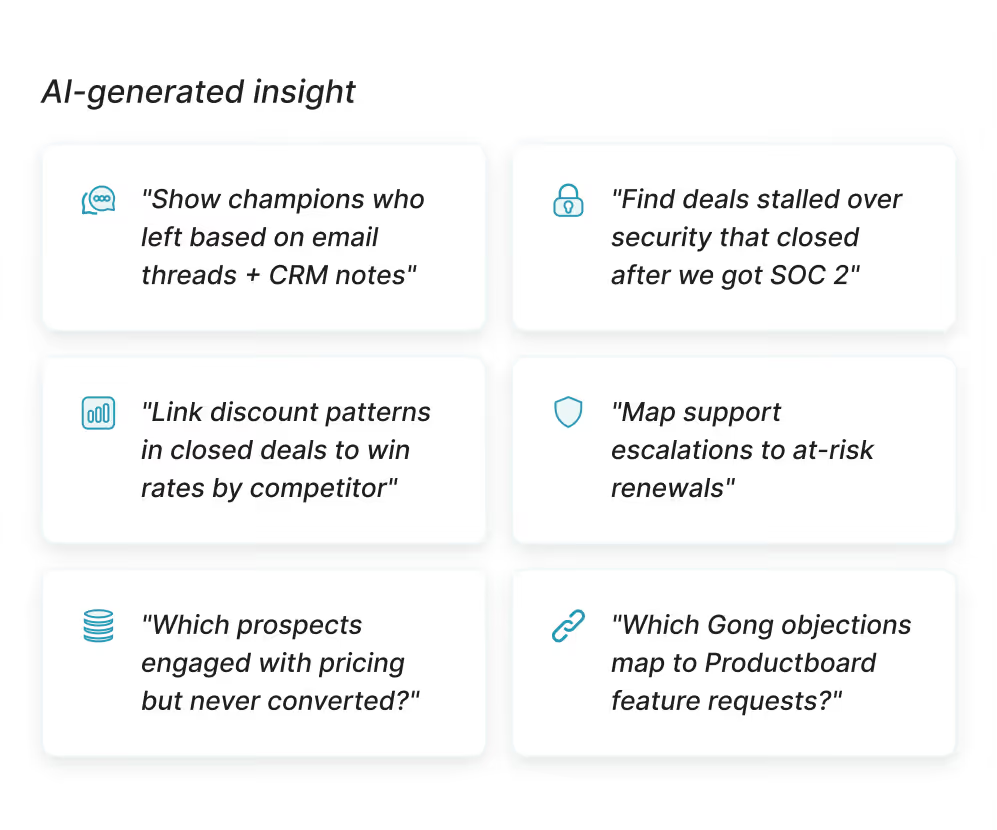
Ask one question and Atolio searches your CRM, calls, email and chat together, with answers that link to their sources. Your admin picks which tools are connected. These are just a few of the most common applications.
Select a logo to see what Atolio can search there.
Go from Searching to Knowing
The answers your team needs already exist, scattered across your CRM, calls, email and chat. Atolio brings them together in one answer, so you spend less time digging and more time selling.
Old way
The answers exist. Finding them is the problem.
New way
Unlock institutional knowledge, unlock potential.
Built for Everyone on the Sales Team
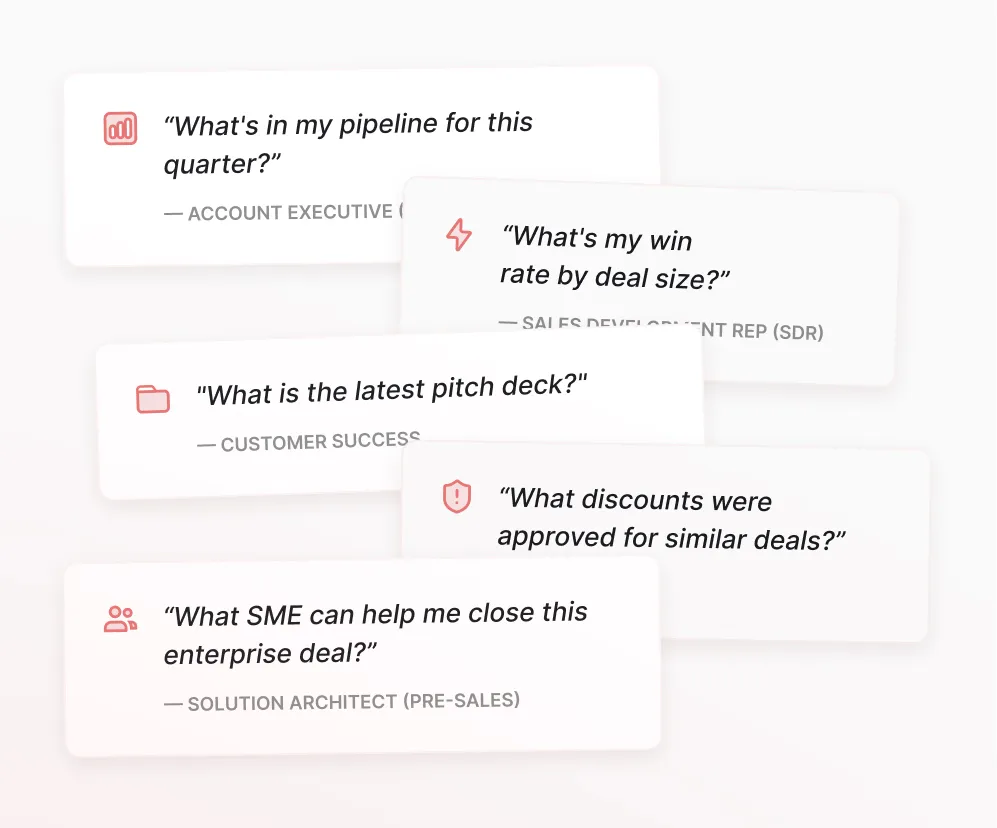
From the SDR booking the first meeting to the CSM planning the renewal, everyone gets answers from the same tools. Open a role to see the questions it asks most.
Sales Development Rep (SDR)
Find account research, messaging templates and qualification notes, so you book more good meetings.
See how Atolio can help
“What pain points do we solve for [prospect's role] in [industry]?”
“Show me successful cold call scripts for this buyer persona”
“Find recent case studies or customer stories in [prospect's industry]”
“What questions should I ask to qualify [use case or need]?”
“Pull up talking points on how we differ from [competitor they're using]”
Account Executive (AE)
Find account history, past deals and competitive notes in one place, so you can personalize outreach and move deals forward.
See how Atolio can help
“Show me past deals with [industry] companies over $500K and why we won or lost”
“What objections came up in the [Company] deal, and how did we handle them?”
“Find competitive battlecards and recent win stories against [Competitor]”
“Pull up customer references in [industry] for this prospect's use case”
“What pricing and discount strategies worked for similar deal sizes in my territory?”
Solution Architect (Pre-Sales)
Find technical docs, past solution designs and integration details, so you can scope deals and answer technical questions.
See how Atolio can help
“Find similar architectures we've built for [use case or industry]”
“Show me integration guides and API docs for [platform]”
“What security and compliance questions came up in recent enterprise deals?”
“Pull technical win and loss analysis from deals with similar requirements”
“Find demo environments and POC playbooks for [product capability]”
Customer Success
Find account history, adoption notes and expansion playbooks, so you can keep customers and grow accounts.
See how Atolio can help
“Show me this account's support history, feature requests and past escalations”
“What expansion plays have worked for similar customers in [industry or segment]?”
“Find QBR templates and health score criteria for enterprise accounts”
“Pull best practices for driving adoption of [feature] with customers”
“What renewal risk signals should I watch for in support patterns?”
Up NextFind the signals that make cold outreach personal.
2 - Outreach & Qualification
Find the signals that make cold outreach personal, and the questions that qualify it.
Sales · Lesson 2 of 6 · 3 min
Every good first message starts with context. Who is the prospect, what do they care about and what does your company already know about them?
What Do We Know About Them?
You’ve got a list of new accounts and a blank email. You could open with the same pitch everyone sends, but you know that rarely lands. Before you write a word, one question comes to mind.
What do we know about them?
More than you’d think. Notes from past conversations sit in your CRM, calls with similar companies sit in your call recordings and the latest account chatter sits in team chat. They’re just in different places.
Think of Atolio as your research assistant. Ask about the account, and it brings what’s changed, what similar customers struggled with and the stories that match their industry into one answer, with a link to each source.
Example: A New Account
Example
Use CaseSee What's Changed at an Account Before You Reach Out
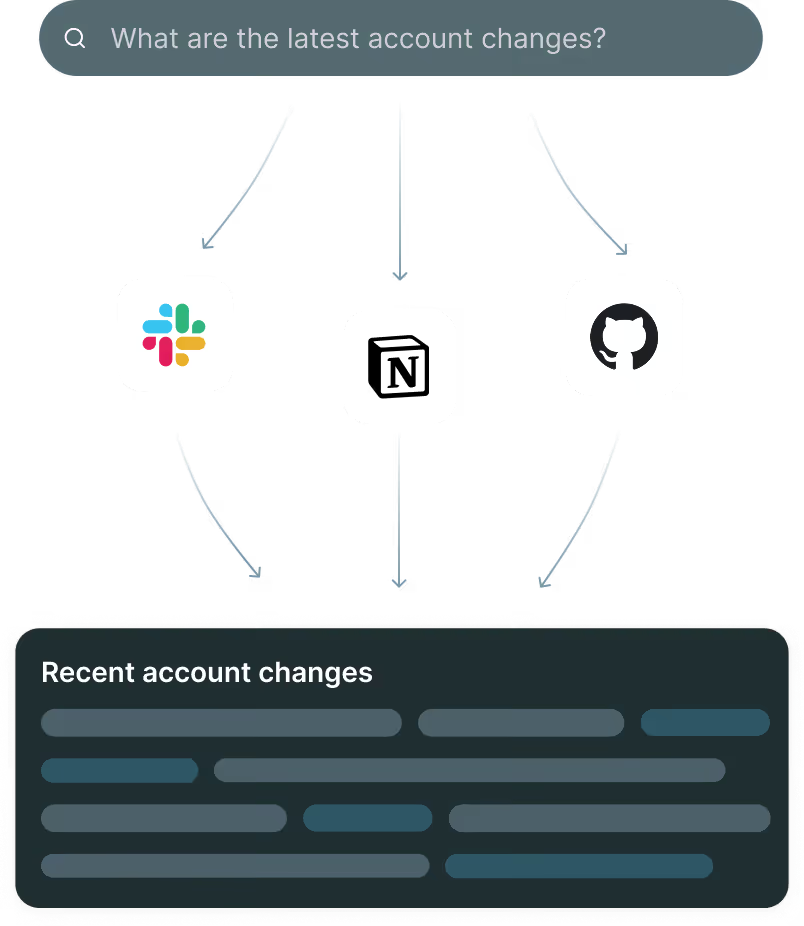
What are the latest account changes?
Connectors in This Example
Select a connector to see what Atolio looks for there.
In Slack, Atolio looks for Account channels and the latest chatter about the company.
In Notion, Atolio looks for Account plans and notes your team keeps on the company.
In GitHub, Atolio looks for Product updates worth mentioning in your message.
What to Expect
How Atolio Found It
You asked about one account in plain language. Atolio searched the places your team keeps account notes, like team chat, docs and product updates, and pulled the recent changes into one summary.
Every part of that summary links back to its source. So before you hit send, you can open the thread or the note and check the detail you’re about to mention.
Avoid These Traps
Asking about a company too broadly. “Tell me about Acme” brings back a bit of everything. Ask “What changed at Acme this quarter?” and the answer gets focused.
Skipping over the cited sources. Your team’s notes pile up over time. Open the linked sources and make sure you have the most recent version before a detail goes in your opener.
The answer may not exist. If an insight never made it into a note, a call or a thread, Atolio can’t find it. That’s when a quick message to the account owner helps.
What Atolio Does (and Doesn’t)
It will
Pull account notes from your tools
Find stories from similar customers
Link every answer to its source
It won't
Send anything on your behalf
Show you anything you can’t access
Know things nobody wrote down
Try It: Your Next Account
Try It NowCopy this into Atolio and swap the [brackets] for your own details.
What pain points do we solve for [role] in [industry]?
Key Takeaways
Key Takeaways
Research using your internal documentation
Summarize what changed at the account
Check the source before you quote it
Up NextFind past deals, objections and references for any deal.
3 - Deal Intelligence
Find past deals, objections, competitive notes and references for any deal.
Sales · Lesson 3 of 6 · 3 min
Every deal you work has a history behind it, in the calls, the objections and the deals like it that came before.
Have We Seen This Before?
You’re two calls into a big deal. The buyer just raised a tough objection, and a competitor’s name came up for the first time. Your next call is tomorrow, and one question won’t let go.
Have we seen this before?
Almost always, yes. Someone on your team has heard that objection, faced that competitor or closed a deal like this one. Their notes are in your CRM, their playbooks are in your docs and the debrief is in team chat.
Think of Atolio as a teammate who sat in on every deal. Ask about the objection or the competitor, and it brings back how your team handled it before, with a link to each source.
Example: The Acme Deal
Example
Use CaseFind How Your Team Handled the Same Objection Before
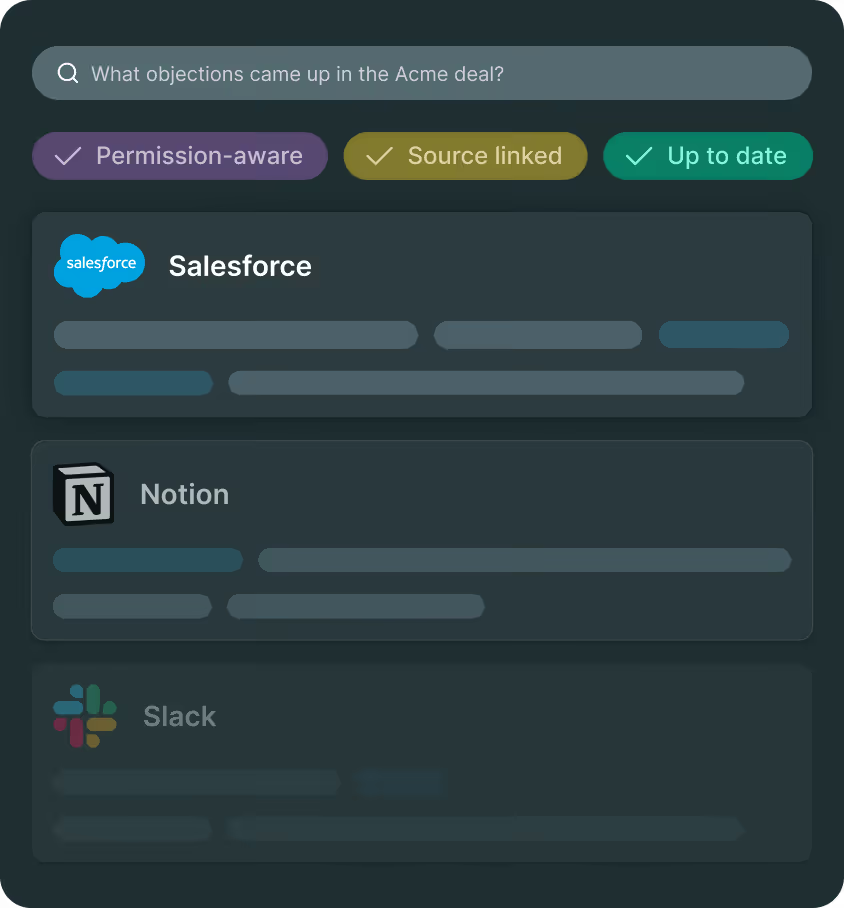
What objections came up in the Acme deal?
Connectors in This Example
Select a connector to see what Atolio looks for there.
In Salesforce, Atolio looks for Opportunity history, notes and close reasons for the deal.
In Notion, Atolio looks for Battlecards and objection guides your team keeps.
In Slack, Atolio looks for Deal team threads where people talked through the objection.
What to Expect
How Atolio Found It
You asked about one deal. Atolio searched your CRM, docs and team chat, found what the buyer raised and how your team answered, and pulled it into one answer.
Only what you’re allowed to see comes back, and each part links to its source. So before your next call, you can open the original note and hear it in your teammate’s words.
Avoid These Traps
Asking too broadly. “What objections do we hear?” could cover a hundred deals. Name the deal or the competitor, like “the Acme deal,” and the answer gets much sharper.
Trusting an old answer. Atolio finds what worked before, including deals from years ago. Check the dates on the sources, and ask about recent deals when it matters.
Stopping after one question. The first answer tells you what came up. Follow up in the same conversation and ask which references or pricing helped close similar deals.
What Atolio Does (and Doesn’t)
It will
Find how past objections were handled
Surface battlecards and win stories
Link every answer to its source
It won't
Make the call on pricing for you
Show you anything you can’t access
Know things nobody wrote down
Try It: Your Toughest Objection
Try It NowCopy this into Atolio and swap the [brackets] for your own details.
What objections came up in the [Company] deal?
Key Takeaways
Key Takeaways
Find how similar deals were won
Ask who worked on comparable deals
Compare objections across past deals
Up NextReuse past architectures and security answers in technical reviews.
4 - Technical Sales Support
Reuse past architectures, integration docs and security answers in technical reviews.
Sales · Lesson 4 of 6 · 2 min
Every technical review comes with questions about security, integrations and how it all fits into the customer’s stack.
Has Anyone Answered This Already?
A security questionnaire lands the week before a POC, and half the questions look familiar. You know a teammate answered something like this last quarter, but the answer is buried in a ticket, a spec or a thread. So you start to wonder.
Has anyone answered this already?
Chances are, someone has. The approved answers, the integration specs and the notes from past reviews are already written down, just spread across your tools.
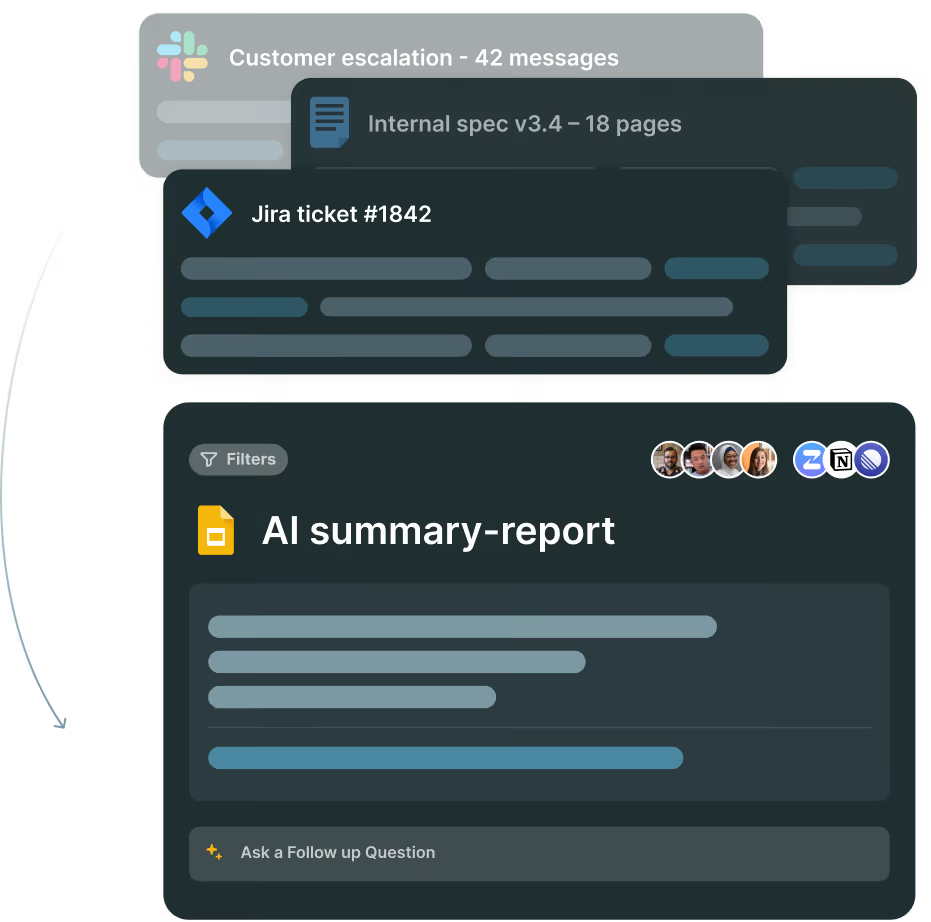
Think of Atolio as a colleague who worked every technical deal before yours. Ask about the requirement, and it pulls the relevant specs, tickets and threads into one summary, with a link to each source.
Example: A Security Review
Example
Use CaseReuse Past Answers When a Technical Review Lands
Connectors in This Example
Select a connector to see what Atolio looks for there.
In Slack, Atolio looks for Escalation threads and past review discussions.
In Notion, Atolio looks for Specs, POC playbooks and approved security answers.
In Jira, Atolio looks for Tickets for integration work and technical issues.
What to Expect
How Atolio Found It
You asked about a requirement. Atolio searched your team chat, docs and ticketing tool for the reviews, specs and tickets that covered it, and summarized what it found.
You can keep asking follow-up questions from the same summary, and every answer links to its source. So you can confirm the approved wording before anything goes to the customer.
Avoid These Traps
Asking too much at once. A long list of questions gets you a long, general answer. Ask Atolio one section at a time, like security first, then integrations.
Add context if needed. The more you tell Atolio, the better it matches. Add the customer, their setup and the exact requirement, like SOC 2 for a healthcare customer on Azure.
It’s ok to start fresh. After many follow-ups, answers can drift. When you switch topics or the thread gets crowded, start fresh with a new question.
What Atolio Does (and Doesn’t)
It will
Find past specs, tickets and threads
Show who answered it before
Answer your follow-up questions
It won't
Approve an answer for the customer
Show you anything you can’t access
Guess when there’s no source
Try It: Your Next Questionnaire
Try It Now
How did we answer security questions in recent deals?
Key Takeaways
Key Takeaways
Ask section by section, not all at once
Confirm an answer is still approved
Follow up from the same summary
Up NextPrep QBRs, spot expansion chances and catch renewal risk early.
5 - Expansion & QBR Prep
Prep QBRs, spot expansion chances and catch renewal risk early.
Sales · Lesson 5 of 6 · 2 min
Every renewal is built on trust, and trust comes from knowing your customer’s world well enough to spot problems, and chances, before they do.
What’s Changed Since We Last Talked?
Your QBR is on Thursday. Since the last one, there have been support tickets, a few feature requests and a roadmap update you only half remember. Before you build a single slide, there’s one thing you need to know.
What’s changed since we last talked?
It’s all on record. The tickets are in your help desk, the account details are in your CRM and the roadmap lives in your docs. Pulling it together by hand just means a lot of tabs.
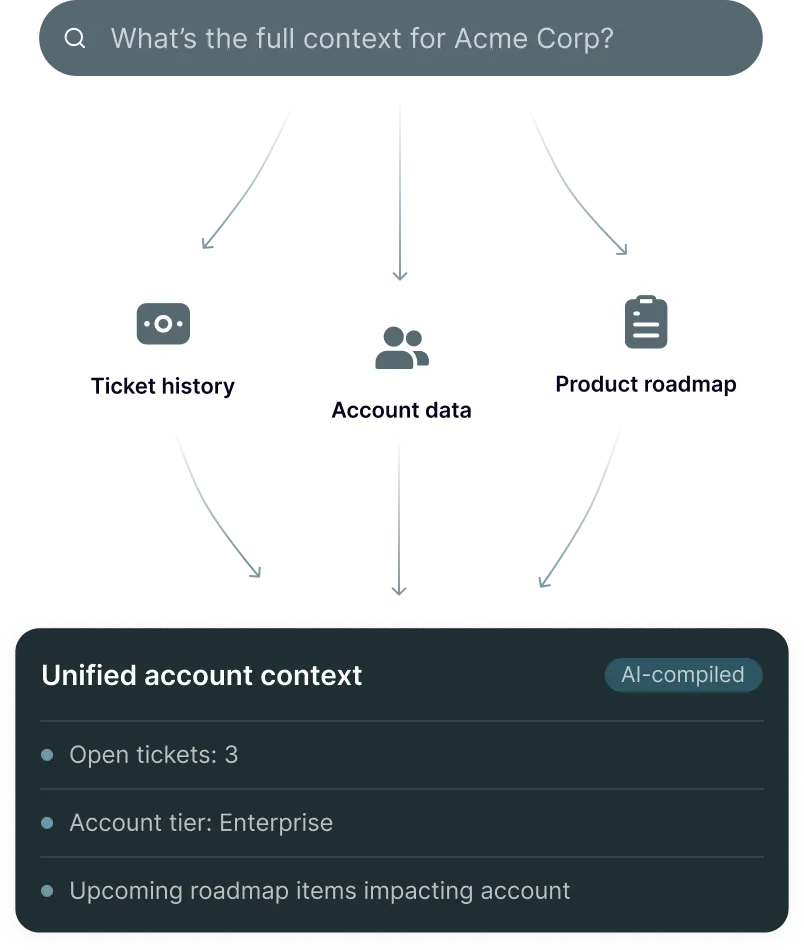
Think of Atolio as the account brief you wish you always had. Ask about the account, and it brings the open tickets, the account details and the roadmap items that affect them into one answer, with a link to each source.
Example: The Acme Corp QBR
Example
Use CaseGet the Full Account Picture Before Every QBR
What's the full context for Acme Corp?
Connectors in This Example
Select a connector to see what Atolio looks for there.
In Zendesk, Atolio looks for Support tickets and their comments for the account.
In Salesforce, Atolio looks for Account details, contacts and open opportunities.
In Notion, Atolio looks for Roadmap pages for features the customer is waiting on.
What to Expect
How Atolio Found It
You asked about one account. Atolio searched your help desk, CRM and docs, then pulled the open tickets, the account details and the roadmap items that affect them into one view.
Each part links to its source. So when a ticket looks like a risk, you can open it and read the whole thread before the meeting.
Avoid These Traps
Reading only the summary. Atolio’s summary is where you start. A short line like “3 open tickets” can hide a frustrated customer, so open the tickets behind it.
Leaving out the time frame. “Open issues for Acme” can pull in tickets from years ago. Add “since our last QBR” so you see what changed this quarter.
The answer may not exist. If a concern only came up in a conversation nobody wrote down, Atolio can’t find it. Check in with the account team before the QBR.
What Atolio Does (and Doesn’t)
It will
Pull tickets and account history
Help you spot risk and expansion
Link every answer to its source
It won't
Talk to the customer for you
Show you anything you can’t access
Know things nobody wrote down
Try It: Your Next QBR
Try It NowCopy this into Atolio and swap the [brackets] for your own details.
What tickets and requests has [Account Name] had lately?
Key Takeaways
Key Takeaways
Summarize what changed since the last QBR
Ask who on your team knows the account
Find the features they have asked for
Up NextPractice prompts for every sales role, from SDRs to CSMs.
6 - Prompt Appendix: Sales
Practice Atolio prompts for SDRs, account executives, solution architects and CSMs.
Sales · Lesson 6 of 6 · 2 min
Everything you’ve explored in this track, from your first outreach to your next renewal, is packaged here as ready-to-use prompts to help you get started.
What Do I Ask?
You’ve seen what Atolio can do. But the first time you open it on your own, the empty search box can stop you cold, and one question takes over.
What do I ask?
That’s the objective of this appendix. The prompts below are grouped by role and written the way you’d ask a teammate. Pick your role, copy a prompt, swap anything in [brackets] for your own details and run it.
Pick Your Role
Sales Development Rep. Find signals for outreach and questions to qualify.
What pain points do we solve for [role] in [industry]?
When to use it When you need a personal opener for cold outreach or a cold call.
What you get Pain points and proof points, with sources.
Do we have call scripts for [buyer persona]?
When to use it When you need call scripts for a specific buyer type.
What you get Call scripts from Enablement, plus related calls.
Find recent case studies from [industry]
When to use it Before a prospecting email or intro call.
What you get Recent case studies for that industry, with links.
What should I ask to qualify [use case]?
When to use it Before qualifying a specific pain point or use case.
What you get Discovery questions from your methodology guides.
Account Executive. Find past deals, competitors and pricing precedents.
Why did we win or lose [industry] deals over [size]?
When to use it Before an enterprise discovery call, to compare past deals in the prospect’s industry.
What you get Past deals in that industry and size, with sources.
Find our latest battlecard for [Competitor]
When to use it Before a deal where the prospect is looking at a named competitor.
What you get The latest battlecard and recent wins against them.
How do we stand apart from [competitor]?
When to use it Before a call with a prospect who already uses a competitor.
What you get Talking points from your positioning guide.
What objections came up in the [Company] deal?
When to use it Before a high-stakes call, to learn from a comparable deal.
What you get That deal’s objections and how your team answered.
Which [vertical] customers could be a reference?
When to use it When a prospect asks for a reference in their industry.
What you get Reference customers in that vertical, with owners.
What discounts closed deals of a similar size?
When to use it Before a pricing negotiation.
What you get Pricing notes from similar closed-won deals.
Solution Architect. Find architectures, integrations and security answers.
What architectures have we built for [use case]?
When to use it Before a technical discovery call or POC scoping session.
What you get Similar architectures and who built them.
Where are the integration guides for [platform]?
When to use it Before a demo or integration scoping call, like one for Okta or ServiceNow.
What you get The integration guide, plus notes from past deals.
How did we answer security questions in recent deals?
When to use it Before the security part of an enterprise POC or IT review.
What you get Recent security questions and how we answered.
Why did we win or lose deals that needed [requirement]?
When to use it Before investing time in a POC.
What you get Technical win and loss notes from similar deals.
Find demos and POC playbooks for [capability]
When to use it Before a technical evaluation of a specific capability.
What you get Demo environment docs and the POC playbook.
Customer Success. Find account history, risk signals and expansion plays.
What tickets and requests has [Account Name] had?
When to use it Before a QBR, renewal call, or executive business review.
What you get The account’s tickets, requests and escalations.
Where's our QBR template for enterprise accounts?
When to use it When prepping a QBR for a large strategic account.
What you get Your current QBR template and recent example decks.
Do [Account Name]'s tickets suggest renewal risk?
When to use it When you want to catch renewal risk early.
What you get Recent tickets and notes that hint at risk.
What expansion plays worked for similar customers?
When to use it Before an upsell or cross-sell conversation.
What you get Expansion plays from similar customers, with sources.
How do we drive adoption of [underused feature]?
When to use it Before a check-in with a customer who isn’t using a key feature.
What you get Adoption playbooks and CSM notes for that feature.
Make It a Habit
Use natural languageAsk the way you’d ask a teammate.
Add a time frame“Last quarter” pulls in recent deals.
Tell it where to lookAdd “check call recordings” when you know.
Follow up if neededAsk again instead of starting over.
Up NextSee how Engineering & DevOps teams find code context, docs and incident history.