See how product teams find requests, decisions and feedback in one search.
Product · Lesson 1 of 5 · 3 min
Atolio Works with Every Part of the Product Workflow
Ask one question and Atolio searches your backlog, specs, customer notes and chat together, with answers that link to their sources. Your admin picks which tools are connected. These are just a few of the most common applications.
Select a logo to see what Atolio can search there.
Go from Searching to Knowing
The answers your team needs already exist, scattered across backlogs, specs, customer notes and chat. Atolio brings them together in one answer, so you spend less time hunting for context and more time building.
Old way
The answers exist. Finding them is the problem.
New way
Unlock institutional knowledge, unlock potential.
Built for Everyone on the Product Team
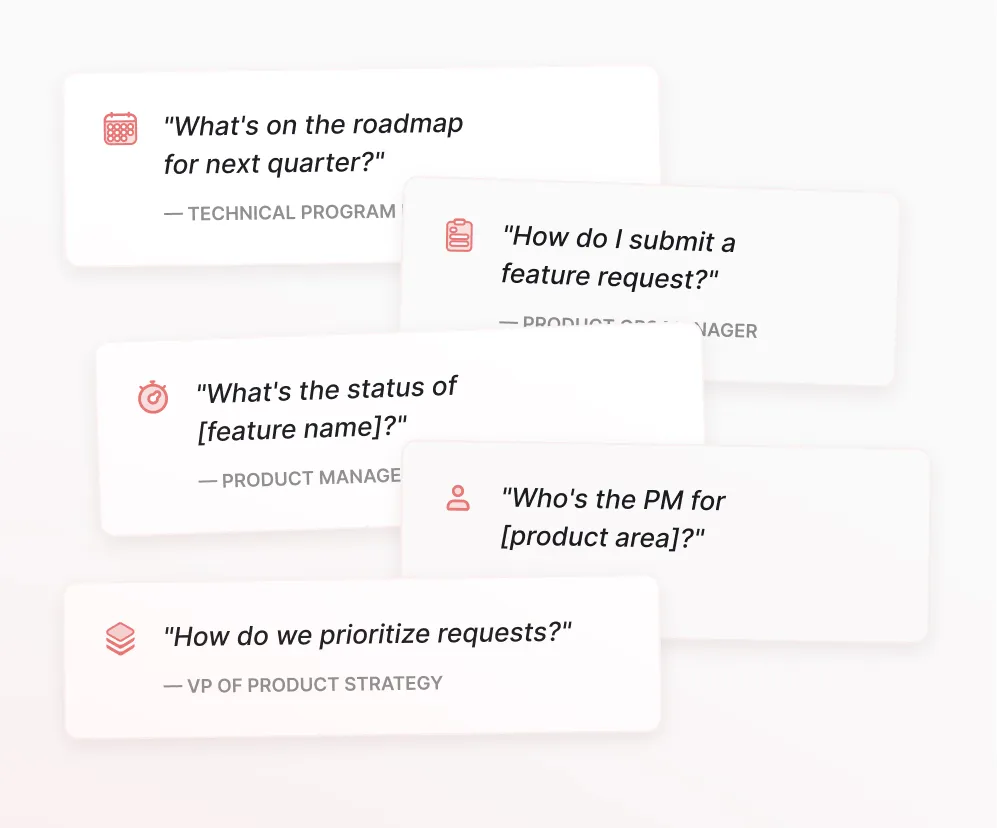
From the PM weighing the next feature to the strategy lead setting direction, everyone gets answers from the same tools. Open a role to see the questions it asks most.
Product Manager (PM)
Find customer feedback, competitive intel and past product decisions, so you can prioritize features and ship what matters most.
See how Atolio can help
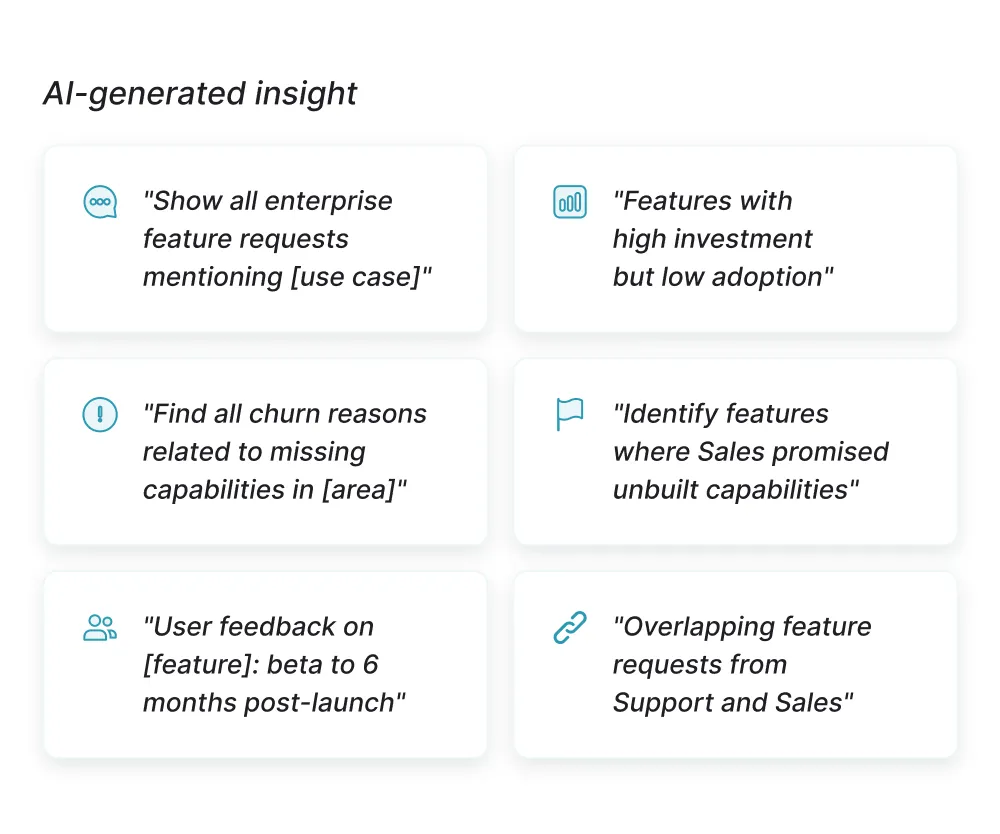
“Show me customer requests and support tickets related to [feature area]”
“Find past product specs and why we decided not to build [capability]”
“What competitive analysis exists for [competitor feature or positioning]?”
“Pull user research findings and pain points for [persona or use case]”
“Show me adoption metrics and feedback for features launched in [time frame]”
Product Ops Manager
Bring product processes and scattered data together, so PMs can spend their time building.
See how Atolio can help
“What are our product launch checklists and go-to-market templates?”
“Show me feature request trends and the most common customer pain points”
“Find documentation on our prioritization framework and roadmap process”
“Pull metrics dashboards and KPI definitions for product performance”
“What tools and integrations are available for product analytics and tracking?”
Technical Program Manager (TPM)
Find project dependencies, technical context and cross-functional plans, so you can keep complex initiatives on track.
See how Atolio can help
“Show me the dependencies and blockers for [initiative or release]”
“Find technical design docs and system architecture for [project]”
“What are the timelines and deliverables across engineering, design and product?”
“Pull past program retrospectives and lessons learned from similar launches”
“Show me resource allocation and capacity planning for [team or quarter]”
VP of Product Strategy
Pull together market trends, competitive intel and portfolio insights, so you can set product vision and direction.
See how Atolio can help
“What market research and competitive analysis exists for [category or trend]?”
“Show me product performance metrics and portfolio health across all initiatives”
“Find strategic planning docs and OKRs from previous quarters”
“Pull customer cohort analysis and retention drivers for [segment]”
“What are our product principles, positioning and differentiation strategies?”
Up NextBring feedback from support, sales and research into one picture.
2 - Customer Feedback & Insights
Bring feedback from support, sales and research into one picture.
Product · Lesson 2 of 5 · 3 min
Every roadmap decision starts with a signal from customers, and those signals come in from everywhere.
Is This a Real Pattern?
Sales says a big customer needs a feature. Support has seen a few tickets about it. A user interview mentioned it last month. It feels important, but you’ve been fooled by the loudest voice before. Before it goes on the roadmap, you have to ask.
Is this a real pattern?
The evidence is out there, just scattered. Requests sit in your help desk, call notes live in your call recordings and interview insights are in your research docs.
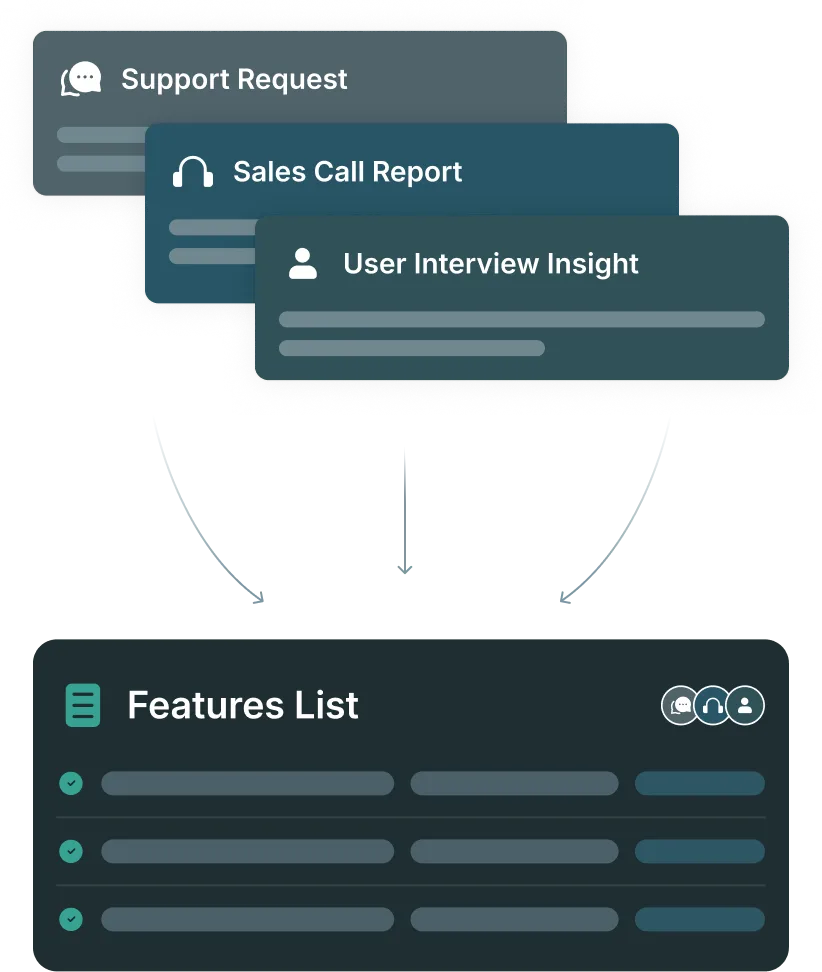
Think of Atolio as one inbox for every customer signal. Ask about a feature area, and it brings support requests, sales calls and interview notes into one view, with a link to each source.
Example: A Feature Request
Example
Use CaseSee Every Request for a Feature, Wherever It Came From
Connectors in This Example
Select a connector to see what Atolio looks for there.
In Zendesk, Atolio looks for Support requests and tickets.
In Gong, Atolio looks for Sales calls where customers asked for it.
In Notion, Atolio looks for User interview notes and research.
What to Expect
How Atolio Found It
You asked about one feature area. Atolio searched your help desk, call recordings and research docs, then brought every request for it into one list.
Each request links to its source. So you can count how many separate customers asked and hear it in their own words.
Avoid These Traps
Asking about feedback too broadly. “What do customers want?” brings back everything. Name one area, like “feedback on reporting this quarter,” to get a focused list.
Stopping at the first answer. Follow up with “Which came from enterprise customers?” or “Any from sales calls?” to narrow the list without starting over.
Quoting a customer out of context. Atolio links each request to its source. Open the ticket or call before you quote it, so you share what they actually meant.
What Atolio Does (and Doesn’t)
It will
Pull requests from every channel
Link each request to its source
Answer your follow-up questions
It won't
Prioritize the roadmap for you
Show you anything you can’t access
Know feedback nobody wrote down
Try It: Your Next Feature
Try It NowCopy this into Atolio and swap the [brackets] for your own details.
Show me customer requests for [feature area]
Key Takeaways
Key Takeaways
Pull feedback from every channel at once
Find out which customers asked for it
Look for patterns, not the loudest voice
Up NextFind the reasoning behind past product decisions before you build.
3 - Feature Research & Decision History
Find the reasoning behind past product decisions before you build.
Product · Lesson 3 of 5 · 3 min
Every product has a paper trail of choices, and the reasons behind them rarely stay in one place.
Why Did We Choose This?
A new engineer asks why the team picked one approach over another. The PM who made the call has moved on, the spec is two years old and the debate happened in a chat thread. Before you answer, or change course, you need to know.
Why did we choose this?
Someone wrote it down. The options, the tradeoffs and the final call live in old specs, meeting notes and team chat.
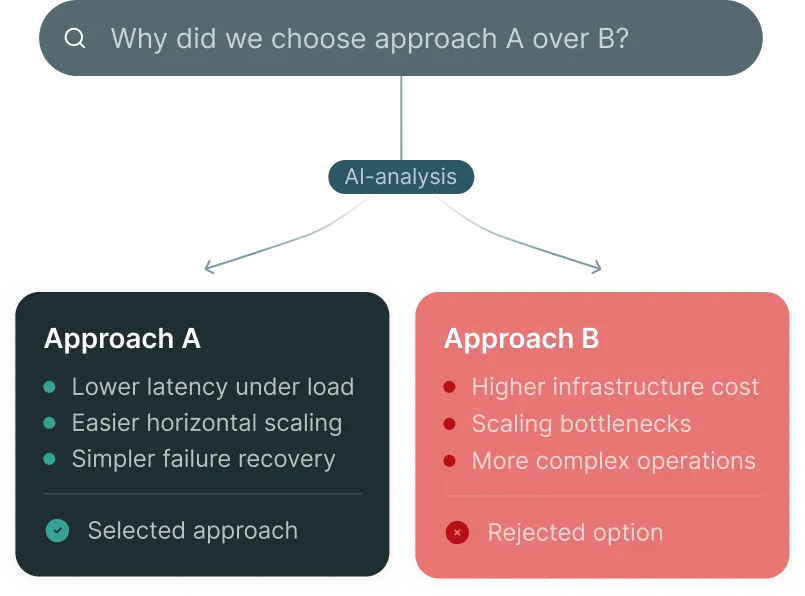
Think of Atolio as your team’s memory for decisions. Ask why, and it brings back the options that were weighed and the reasons one won, with a link to each source.
Example: Approach A or B
Example
Use CaseRecover Why the Team Chose One Approach Over Another
Why did we choose approach A over B?
Connectors in This Example
Select a connector to see what Atolio looks for there.
In Confluence, Atolio looks for Specs, PRDs and meeting notes.
In Slack, Atolio looks for Threads where the team debated it.
What to Expect
How Atolio Found It
You asked why. Atolio searched your specs, meeting notes and team chat, then laid out the options that were weighed and why one was chosen.
Each point links to its source. So you can read the original thinking instead of a secondhand summary.
Avoid These Traps
Asking what instead of why. “What did we build?” gets you a description. “Why did we choose this over that?” gets you the tradeoffs behind the call.
Trusting an old reason. A choice that made sense two years ago may not hold today. Check the dates, then follow up on what’s changed since.
Forgetting old names. Features and projects get renamed over time. If nothing comes up, describe the problem it solved instead of using today’s name.
What Atolio Does (and Doesn’t)
It will
Show who was part of a past decision
Find the specs and research behind it
Link every point to its source
It won't
Make a decision without your input
Show you anything you can’t access
Know reasons nobody wrote down
Try It: A Past Decision
Try It NowCopy this into Atolio and swap the [brackets] for your own details.
Why did we decide not to build [capability]?
Key Takeaways
Key Takeaways
Ask why, not just what
Find out who was part of a past decision
Describe the problem if names changed
Up NextFind related bugs and past fixes before you file or prioritize a ticket.
4 - Bug & Issue Discovery
Find related bugs and past fixes before you file or prioritize a ticket.
Product · Lesson 4 of 5 · 3 min
Most bugs have a past life, even if nobody remembers what it was called.
Is This Already Filed?
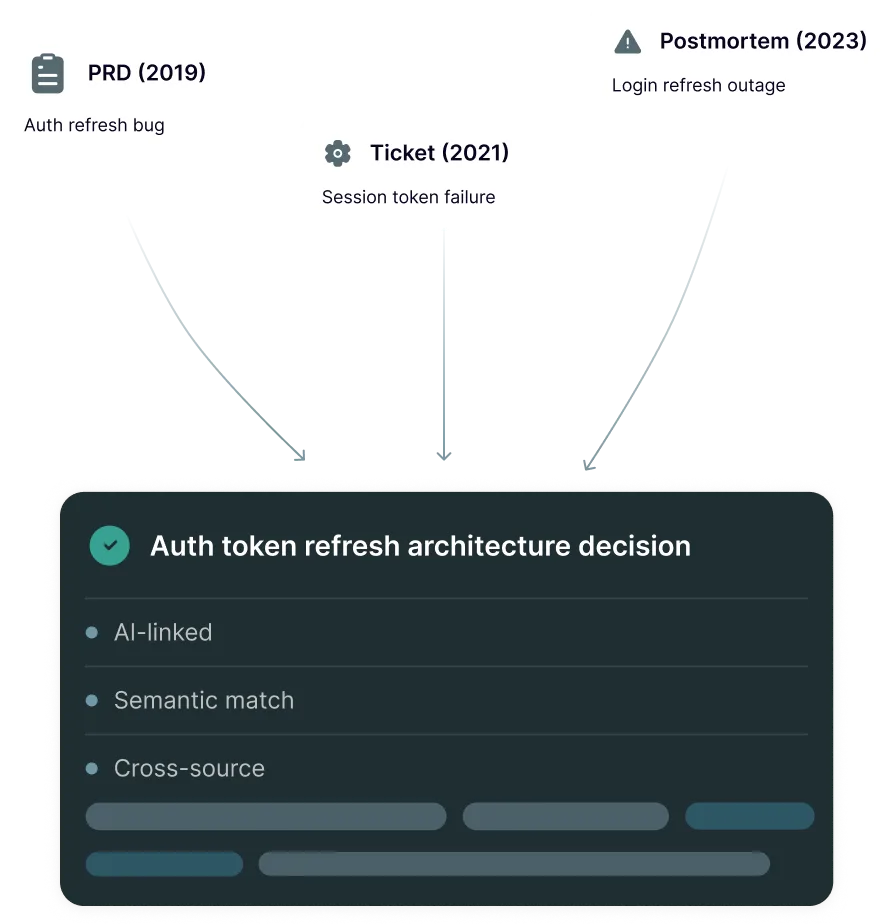
A customer reports that their session keeps timing out. You’re about to file a new ticket, but something about it feels familiar. It might be a known bug, a duplicate or the same problem from two years ago under a different name. Before you file, you ask.
Is this already filed?
Often, in some form. The original bug sits in an old ticket, the root cause in a postmortem and the fix in a spec, each under its own name.
Think of Atolio as a detective for your backlog. Describe the symptom, and it connects the old tickets, specs and postmortems about the same problem, with a link to each source.
Example: A Recurring Auth Bug
Example
Use CaseConnect a Bug to Every Time It's Shown Up Before
Connectors in This Example
Select a connector to see what Atolio looks for there.
In Jira, Atolio looks for Old tickets and bug reports.
In Confluence, Atolio looks for PRDs and postmortems.
What to Expect
How Atolio Found It
You described a symptom. Atolio searched your tickets, specs and postmortems, then connected the ones about the same problem, even though each used different words.
Each one links to its source. So you can link the existing issue in your ticket instead of filing a duplicate.
Avoid These Traps
Leaving out where it happens. “Login is broken” matches every login bug ever filed. Add the platform or version, like “Safari on the iOS app,” to find the one that fits.
Missing who fixed it last time. Ask Atolio who worked on the related tickets, so you know which engineer to loop in before you file or prioritize.
Assuming an old fix still applies. A workaround from two years ago may not work on today’s product. Check the date on the source and ask what has changed since.
What Atolio Does (and Doesn’t)
It will
Find related bugs from past incidents
Summarize tickets and postmortems
Link every answer to its source
It won't
Prioritize bugs without your input
Show you anything you can’t access
Know about issues nobody reported
Try It: Your Next Bug
Try It NowCopy this into Atolio and swap the [brackets] for your own details.
Has anyone reported [symptom] already?
Key Takeaways
Key Takeaways
Find out about prior bugs
Learn what caused it before
Know what fixed it last time
Up NextPractice prompts for every product role, from PMs to product strategy.
5 - Prompt Appendix: Product
Practice Atolio prompts for PMs, product ops, TPMs and strategy.
Product · Lesson 5 of 5 · 2 min
Everything you’ve explored in this track, from the first customer signal to the bug you almost filed twice, is packaged here as ready-to-use prompts to help you get started.
What Do I Ask?
You’ve seen what Atolio can do. But the first time you open it on your own, the empty search box can stop you cold, and one question takes over.
What do I ask?
That’s the objective of this appendix. The prompts below are grouped by role and written the way you’d ask a teammate. Pick your role, copy a prompt, swap anything in [brackets] for your own details and run it.
Pick Your Role
Product Manager. Find requests, past specs and research.
Show me customer requests for [feature area]
When to use it Use it before you write a spec.
What you get Feature requests from tickets, calls and CS notes.
Why did we decide not to build [capability]?
When to use it Use it when an old idea comes back up.
What you get Past specs and the threads where it was decided.
What competitive analysis exists for [competitor]?
When to use it Use it before you position a feature against a competitor.
What you get Competitive analysis docs and win/loss notes.
Pull user research findings for [persona]
When to use it Use it when you start discovery for a new problem.
What you get Research write-ups and interview notes, with links.
Show me feedback on features launched in [time frame]
When to use it Use it in a launch retro or quarterly review.
What you get Launch reviews and feedback threads, with links.
Product Ops. Find launch checklists, trends and frameworks.
Find our launch checklists and GTM templates
When to use it Use it when a launch is coming up.
What you get Launch checklists and GTM templates, with links.
What pain points come up most in feature requests?
When to use it Use it before roadmap planning.
What you get Feedback summaries grouped by theme, with sources.
Find docs on our prioritization framework
When to use it Use it when you onboard a new PM or revisit how you plan.
What you get Docs on how your team prioritizes and plans.
Pull our KPI definitions for product performance
When to use it Use it before you report on product health.
What you get The docs that define each KPI, with links.
Which product analytics tools do we use?
When to use it Use it when you set up tracking for a new feature.
What you get Docs and threads on your analytics tools.
Program Manager. Find dependencies, design docs and retros.
Show me dependencies and blockers for [release]
When to use it Use it before a release review or status update.
What you get Tickets and specs that call out blockers.
Find design docs and architecture for [project]
When to use it Use it when you join a project already underway.
What you get Design docs and architecture write-ups, with links.
What are the timelines across each team for [launch]?
When to use it Use it before a cross-team planning meeting.
What you get Plans and status docs from each team, with dates.
Pull retros and lessons learned from similar launches
When to use it Use it before kickoff, to avoid last time’s mistakes.
What you get Retro docs and lessons learned, with sources.
Show me capacity plans for [team or quarter]
When to use it Use it when you plan staffing for a program.
What you get Capacity plans and allocation docs, with links.
Product Strategy. Find market research, OKRs and principles.
What market research exists for [category or trend]?
When to use it Use it when you’re shaping product strategy for a market.
What you get Market research and competitive docs, with sources.
Show me portfolio health across our initiatives
When to use it Use it before a portfolio or board review.
What you get Health write-ups for each initiative, with links.
Find strategy docs and OKRs from past quarters
When to use it Use it before this quarter’s planning.
What you get Past strategy docs and OKR tracking, with links.
Pull retention analysis for [segment]
When to use it Use it when you decide where to invest next.
What you get Cohort and retention analyses, with sources.
What are our product principles and positioning?
When to use it Use it when you write a strategy doc or brief a new leader.
What you get Docs on your principles and positioning, with links.
Make It a Habit
Use natural languageAsk the way you’d ask a teammate.
Add a time frame“Last quarter” pulls in recent feedback.
Tell it where to lookAdd “check the PRDs” when you know.
Follow up if neededAsk again instead of starting over.
Up NextSee how Marketing teams find assets, briefs and research.