How Atolio helps engineers find code context, docs, and incident history fast.
Engineering & DevOps · Lesson 1 of 5 · 3 min
Atolio Works with Every Part of the Engineering Workflow
Ask one question and Atolio searches your code, tickets, docs and chat together, with answers that link to their sources. Your admin picks which tools are connected. These are just a few of the most common applications.
Select a logo to see what Atolio can search there.
Go from Searching to Knowing
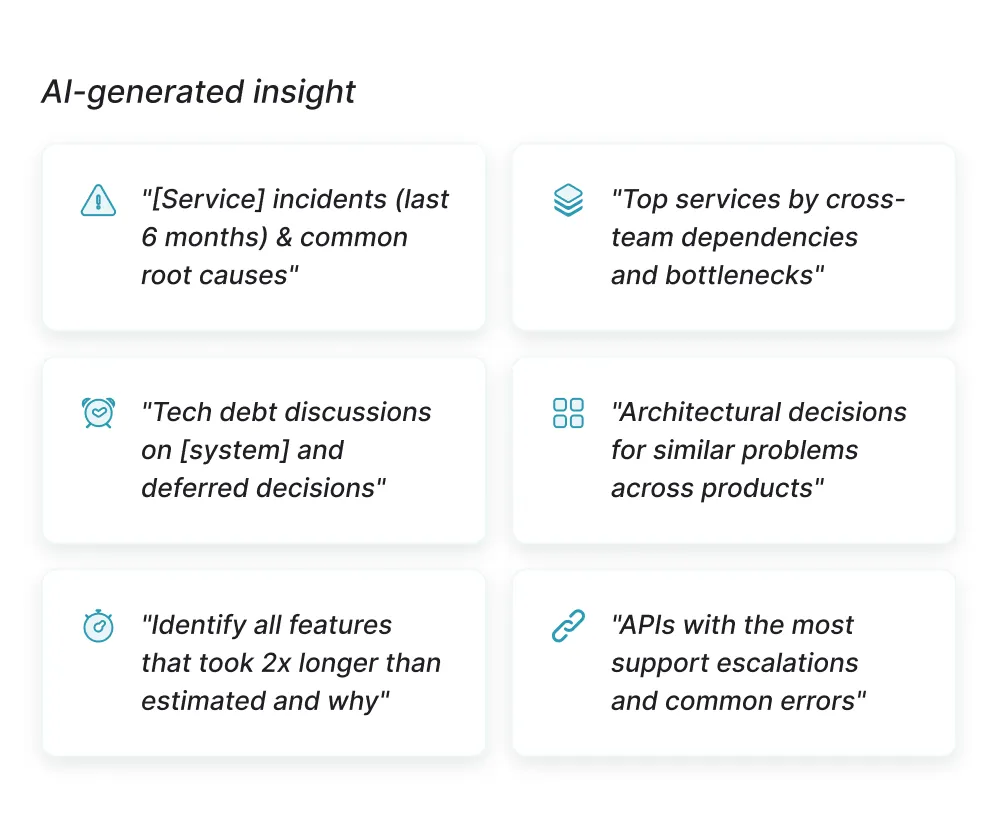
The answers your team needs already exist, scattered across code, tickets, docs and chat. Atolio brings them together in one answer, so you spend less time asking around and more time building.
Old way
The answers exist. Finding them is the problem.
New way
Unlock institutional knowledge, unlock potential.
Built for Every Engineer on the Team
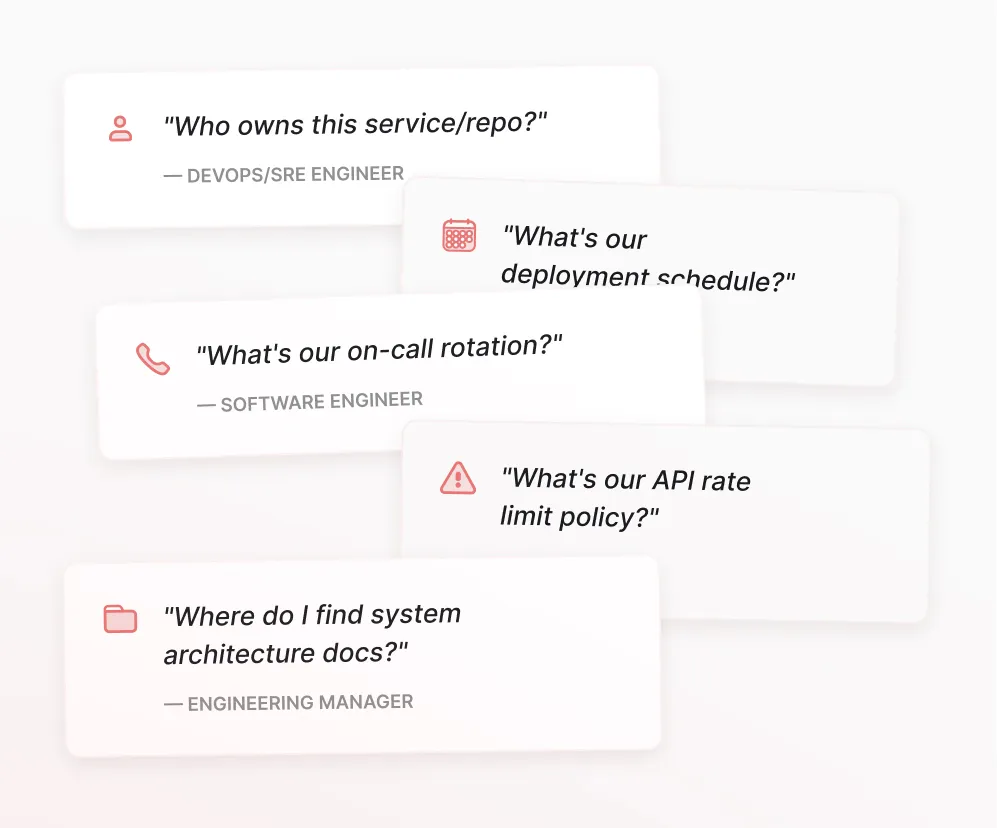
From the engineer writing code to the manager planning the quarter, everyone gets answers from the same tools. Open a role to see the questions it asks most.
Software Engineer
Find code examples, architecture decisions and troubleshooting guides, so you can ship features without hopping between tools.
See how Atolio can help
“Show me how we implemented [feature or pattern] in similar services”
“Find architecture decision records (ADRs) for [system or component]”
“What's the runbook for deploying [service] to production?”
“Pull API documentation and integration examples for [internal service or library]”
“Show me past incidents and root causes related to [system behavior]”
DevOps/SRE Engineer
Find infrastructure docs, incident playbooks and system dependencies, so you can resolve outages and keep systems reliable.
See how Atolio can help
“Find runbooks and escalation procedures for [service or alert type]”
“Show me the infrastructure dependencies and configuration for [system]”
“What were the root causes and fixes for similar incidents in the past?”
“Pull deployment procedures and rollback steps for [environment or service]”
“Find monitoring dashboards and SLO definitions for [critical service]”
Engineering Manager
Find team docs, project context and cross-team dependencies, so you can unblock engineers without digging through chat threads.
See how Atolio can help
“Show me technical specs and status updates for [project or initiative]”
“Find onboarding documentation and setup guides for new engineers”
“What are the current tech debt priorities and their business impact?”
“Pull postmortems from the last quarter and the action items we committed to”
“Show me architecture reviews and technical proposals waiting on a decision”
QA/Automation Engineer
Find test plans, known issues and quality standards, so you can validate releases and catch bugs sooner.
See how Atolio can help
“Show me test cases and coverage for [feature or component]”
“Find known bugs and edge cases related to [functionality]”
“What are our testing standards and automation frameworks for [test type]?”
“Pull regression test suites and expected behavior for [release]”
“Show me past bug reports similar to this issue and how they were verified”
Up NextFind the docs, setup guides and team know-how you need from day one.
2 - Onboarding New Engineers
Help new engineers find docs, setup guides, and team know-how from day one.
Engineering & DevOps · Lesson 2 of 5 · 3 min
Every engineering team runs on institutional knowledge. It’s the design docs, past incidents and hard-won decisions that explain how a system really works.
Where Does This Live?
Your first week usually goes something like this. You get a laptop, a ticket and a link to a wiki that hasn’t been touched in a while. You open the code, find the service you’ll be working on, and the same question keeps coming up.
Where does this live?
The answer is almost always out there. It’s in a design doc on the wiki, a pull request in your code repo or a thread in team chat. The hard part is knowing where to look.
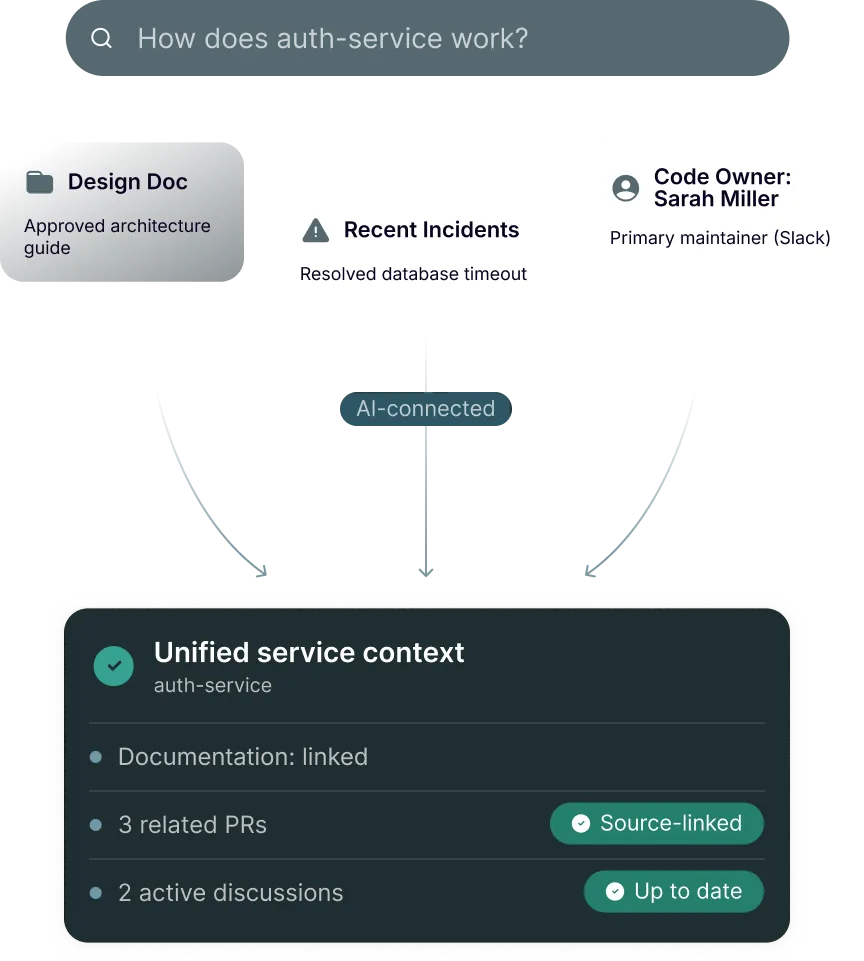
Think of Atolio as one search bar for everything your team has written down. Ask how a service works, and it brings the design doc, the recent changes and the person who owns it into one answer, with a link to each.
Example: auth-service
Example
Use CaseLearn How a Service Works, and Who to Ask, from Your First Day
How does auth-service work?
Connectors in This Example
Select a connector to see what Atolio looks for there.
In Confluence, Atolio looks for The design doc and architecture guide for the service.
In GitHub, Atolio looks for Recent pull requests, commits and code owners.
In Slack, Atolio looks for Active discussions about the service.
What to Expect
How Atolio Found It
You asked one question in plain language. Atolio searched the places your team writes things down, like your wiki, code and team chat, found the pieces about auth-service and put them together into one answer.
Every part of that answer links back to where it came from. So if something catches your eye, you can open the design doc or the pull request and keep reading.
Avoid These Traps
Questions that are too broad. “How does auth work?” could mean a dozen things. Name the service, like “How does auth-service work?”, and the answer gets much sharper.
Docs that are out of date. Atolio finds what your team wrote, including the older pages. Check the dates on the sources, and ask for the latest version when it matters.
The answer may not exist. Some knowledge only lives in a teammate’s head. Ask Atolio who has worked on the service most, then go straight to that expert.
What Atolio Does (and Doesn’t)
It will
Search your connected tools at once
Link every answer to its source
Answer your follow-up questions
It won't
Show you anything you can’t access
Know things nobody wrote down
Replace reading the code yourself
Try It: Your Own Service
Try It NowCopy this into Atolio and swap the [brackets] for your own details.
How does [service] work, and who owns it?
Key Takeaways
Key Takeaways
Your team’s knowledge is spread across systems
Name the service and ask for the latest version
Follow up to go from understanding to action
Up NextFind the why behind the code in PRs, issues, design docs and discussions.
3 - Finding Code Context & Decisions
Find the why behind code changes in PRs, issues, design docs, and discussions.
Engineering & DevOps · Lesson 3 of 5 · 3 min
By now, you know your way around. But the first time you change real code, a harder question comes up. Why is it built this way? Every codebase is full of decisions, and the reasoning behind them is rarely in the code.
Is This Accurate?
So you go looking. You find a design doc from two years ago, a newer page that says something different and a chat thread where someone mentions it changed after an outage. Three sources, three versions of the story. Before you touch anything, you have to ask yourself one thing.
Is this accurate?
That’s where Atolio helps. Ask why the code works the way it does, and it searches those docs, tickets and threads together, then brings back the reasoning with a link to every source.
Think of it like a teammate who has read the docs and threads, and always shows their work. You can see where each part of the answer came from, open the original and decide for yourself.
Example: The Checkout API
Example
Use CaseUnderstand Why the Code Works This Way Before You Change It
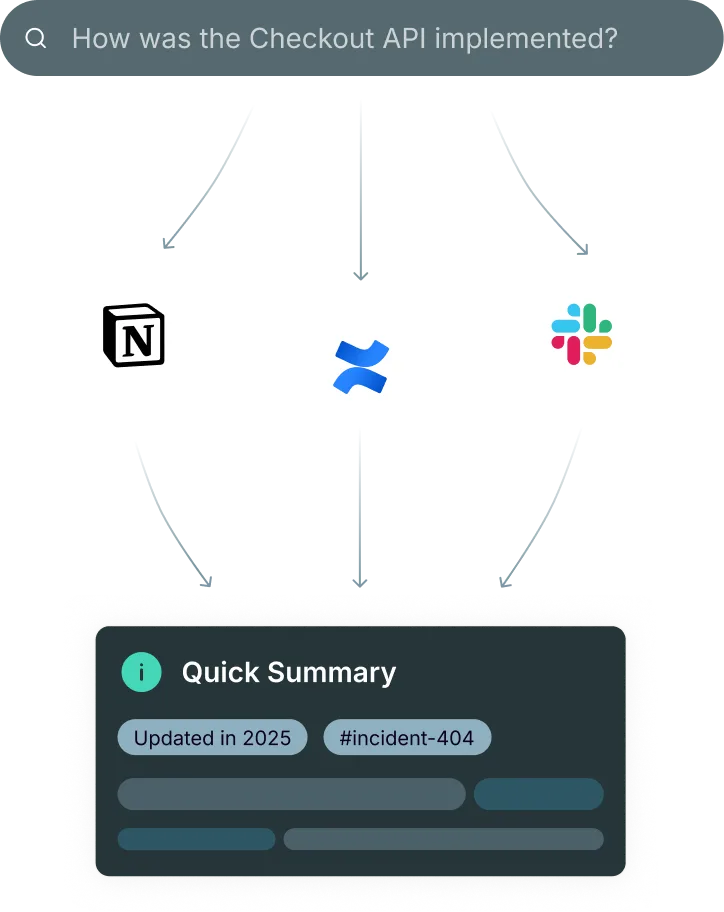
How was the Checkout API implemented?
Connectors in This Example
Select a connector to see what Atolio looks for there.
In Notion, Atolio looks for Specs and design docs for the Checkout API.
In Confluence, Atolio looks for Decision records on how Checkout is built.
In Slack, Atolio looks for Threads where the team debated the approach.
What to Expect
How Atolio Found It
You asked why, not just what. Atolio searched your specs, decision records and team chat for what was written about the Checkout API, and pulled the reasoning into one answer.
Each part of that answer links to its source. So when two docs disagree, you can see exactly which one said what, and when.
Avoid These Traps
Asking “what” when you mean “why.” “What does this code do?” gets you a description. “Why does Checkout retry this way?” gets you the reasoning behind it.
Trusting the first source you see. A decision can change after the doc is written. Open the links and check the dates before you rely on one.
Reasons that no longer apply. A workaround made sense when it was added. Follow up and ask whether the problem it solved still exists.
What Atolio Does (and Doesn’t)
It will
Find the why in specs and threads
Link every answer to its source
Show what’s already been tried
It won't
Show you anything you can’t access
Find a decision nobody wrote down
Make a decision without your input
Try It: Your Own Code
Try It NowCopy this into Atolio and swap the [brackets] for your own details.
Why does [API or service] work this way?
Key Takeaways
Key Takeaways
The code reasoning is likely well-documented
Ask why, and name the code you’re looking at
Follow up to check whether the reason still holds
Up NextFind past incidents, runbooks and on-call context while an incident is live.
4 - Incident Response & Postmortems
Find past incidents, runbooks, and on-call context while an incident is live.
Engineering & DevOps · Lesson 4 of 5 · 3 min
Sooner or later, it’s your turn on call. An alert fires, customers notice, and everything you’ve learned in this track matters at once.
Who Can I Ask?
Picture it. It’s late, the alert won’t stop, and you’ve found the error, but not the person who knows this service. The owner moved teams, the channel is quiet and the fix from last time is buried somewhere. One question takes over.
Who can I ask?
Atolio answers it in one place. Ask about the error, and you get who owns the service, what changed recently and how the team fixed it last time, with a link to each source.
Think of it as having your team’s memory on call with you.
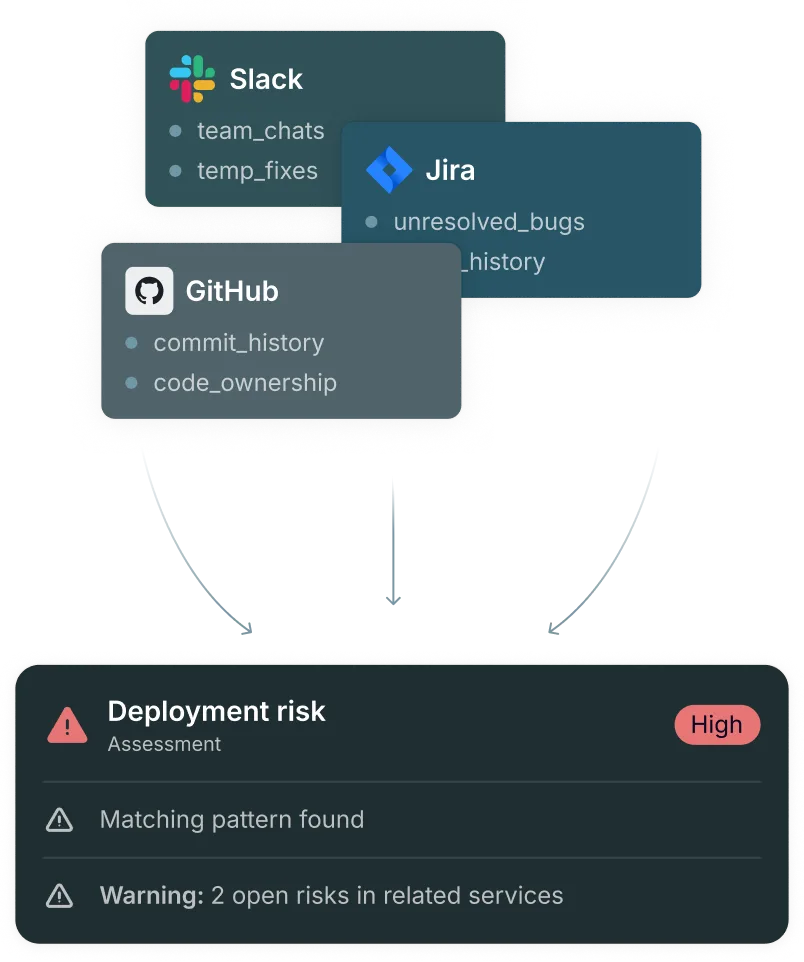
Example: A Risky Deploy
Example
Use CaseSpot a Risky Change by Checking It Against Past Incidents and Open Bugs
Connectors in This Example
Select a connector to see what Atolio looks for there.
In Slack, Atolio looks for Fixes people shared the last time it broke.
In Jira, Atolio looks for Unresolved bugs and the ticket history for the service.
In GitHub, Atolio looks for The commit history for the service, and who owns the code.
What to Expect
How Atolio Found It
You started from what broke. Atolio looked across your team chat, tickets and code history for that service and found the chats where people shared fixes, the open bugs and the recent commits.
It lined them up into one picture, so you can see what changed, whether this has happened before and who owns the code, with a link to each source.
Avoid These Traps
Paraphrasing the error. Paste the exact message. Small details, like an error code, are often what match a past incident.
Asking everything at once. Start with what broke, then follow up on what changed, then who to call. One question at a time keeps each answer focused.
Treating the answer as the fix. Atolio shows you what happened before. You still decide what to do now, and your runbook still comes first.
What Atolio Does (and Doesn’t)
It will
Find past incidents and recent changes
Identify the subject matter expert
Show how it was fixed last time
It won't
Guess at the root cause
Show you anything you can’t access
Know about changes nobody logged
Try It: Your Last Alert
Try It NowCopy this into Atolio and swap the [brackets] for your own details.
Has [service] had incidents like [error message] before?
Key Takeaways
Key Takeaways
Most incidents have previous resolutions
Paste the exact error and ask one thing at a time
Follow up to connect what broke to what changed
Up NextPractice prompts for every engineering role, from software engineers to QA.
5 - Prompt Appendix: Engineering
Practice Atolio prompts for software engineers, DevOps and SRE engineers, engineering managers and QA.
Engineering & DevOps · Lesson 5 of 5 · 2 min
Everything you’ve explored in this track, from your first week to your first on-call shift, is packaged here as ready-to-use prompts to help you get started.
What Do I Ask?
You’ve seen what Atolio can do. But the first time you open it on your own, the empty search box can stop you cold, and one question takes over.
What do I ask?
That’s the objective of this appendix. The prompts below are grouped by role and written the way you’d ask a teammate. Pick your role, copy a prompt, swap anything in [brackets] for your own details and run it.
Pick Your Role
Software Engineer. Find code examples, past decisions and fixes.
Show me how we implemented [feature] in other services
When to use it Use it before you build something another team may have built already.
What you get PRs and design docs from teams that solved it.
Find the ADRs for [system or component]
When to use it Use it to learn why a system works the way it does before you change it.
What you get The ADRs and design docs for that system.
What's the runbook for deploying [service]?
When to use it Use it before your first deploy of a service.
What you get The deploy runbook and any linked steps.
Find API docs and examples for [internal service]
When to use it Use it when you start integrating with a service your team doesn’t own.
What you get API docs and integration examples, with sources.
Show me past incidents related to [system behavior]
When to use it Use it when a system does something odd and you suspect it’s happened before.
What you get Past incidents and their root causes.
DevOps/SRE Engineer. Find runbooks, past incidents and dependencies.
Find runbooks and escalation steps for [alert type]
When to use it Use it when an alert fires and you need the procedure fast.
What you get The runbook and escalation steps, with links.
Show me the dependencies and config for [system]
When to use it Use it before a change that could ripple into other systems.
What you get Docs and diagrams of what the system depends on.
What fixed similar incidents in the past?
When to use it Use it mid-incident, once you know what kind of failure you’re seeing.
What you get Postmortems for similar failures and their fixes.
Pull deploy and rollback steps for [service]
When to use it Use it before a risky deploy, so you know how to back out.
What you get The deploy and rollback steps, with sources.
Find dashboards and SLOs for [critical service]
When to use it Use it when you take on a service or review its reliability.
What you get Links to its dashboards and SLO docs.
Engineering Manager. Find project context, team docs and decisions waiting on you.
Show me specs and status updates for [project]
When to use it Use it before a planning meeting or a status review.
What you get Specs and recent updates from docs, tickets and chat.
Find onboarding docs and setup guides for engineers
When to use it Use it when someone new joins your team.
What you get Onboarding docs and setup guides, with links.
What are our tech debt priorities, and why?
When to use it Use it when you’re planning a quarter or making the case for cleanup work.
What you get Tech debt priorities and the reasoning behind them.
Pull last quarter's postmortems and action items
When to use it Use it before a reliability review or a retro.
What you get Last quarter’s postmortems and their action items.
Show me proposals that are waiting on a decision
When to use it Use it to see what’s blocked on you or your team.
What you get Open proposals still waiting on a decision.
QA/Automation Engineer. Find test plans, known bugs and standards.
Show me test cases and coverage for [feature]
When to use it Use it before you test a change to a feature you don’t know well.
What you get Test plans and coverage notes, with sources.
Find known bugs and edge cases for [functionality]
When to use it Use it before you sign off on a release that touches that area.
What you get Known bugs and flagged edge cases, with links.
What are our testing standards for [test type]?
When to use it Use it when you write a new kind of test or join a new team.
What you get Your testing standards and the frameworks they name.
Pull the regression suites for [release]
When to use it Use it when a release is about to go out.
What you get Regression suites and expected behavior for it.
Find similar past bugs and how they were verified
When to use it Use it when a new bug looks familiar.
What you get Similar past bugs and how each fix was checked.
Make It a Habit
Use natural languageAsk the way you’d ask a teammate.
Add a time frame“Last month” pulls in recent activity.
Tell it where to lookAdd “check the wiki” when you know.
Follow up if neededAsk again instead of starting over.
Up NextSee how IT & Operations teams find runbooks, asset docs and vendor records.