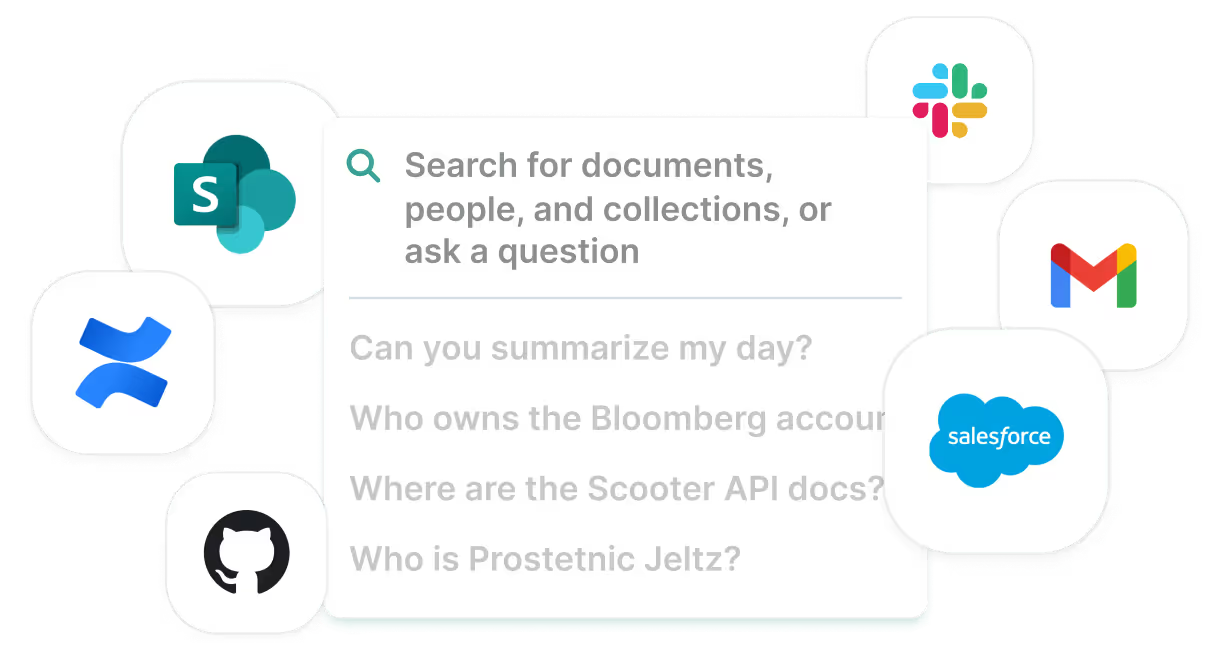
How Atolio searches all your work apps at once and answers with sources.
Atolio Foundations · Lesson 1 of 6 · 3 min
Atolio Works Across the Tools You Use Every Day
Ask one question and Atolio searches your chat, docs, code, tickets and CRM together, with answers that link to their sources. Your admin picks which tools are connected. These are just a few of the most common applications.
Select a logo to see what Atolio can search there.
Go from Searching to Knowing
Your company’s know-how is spread across chat, docs, code, tickets and email. Atolio brings it together in one answer, so you spend less time digging and more time doing the work.
Old way
The answers exist. Finding them is the problem.
New way
Unlock institutional knowledge, unlock potential.
Built for Everyone at Your Company
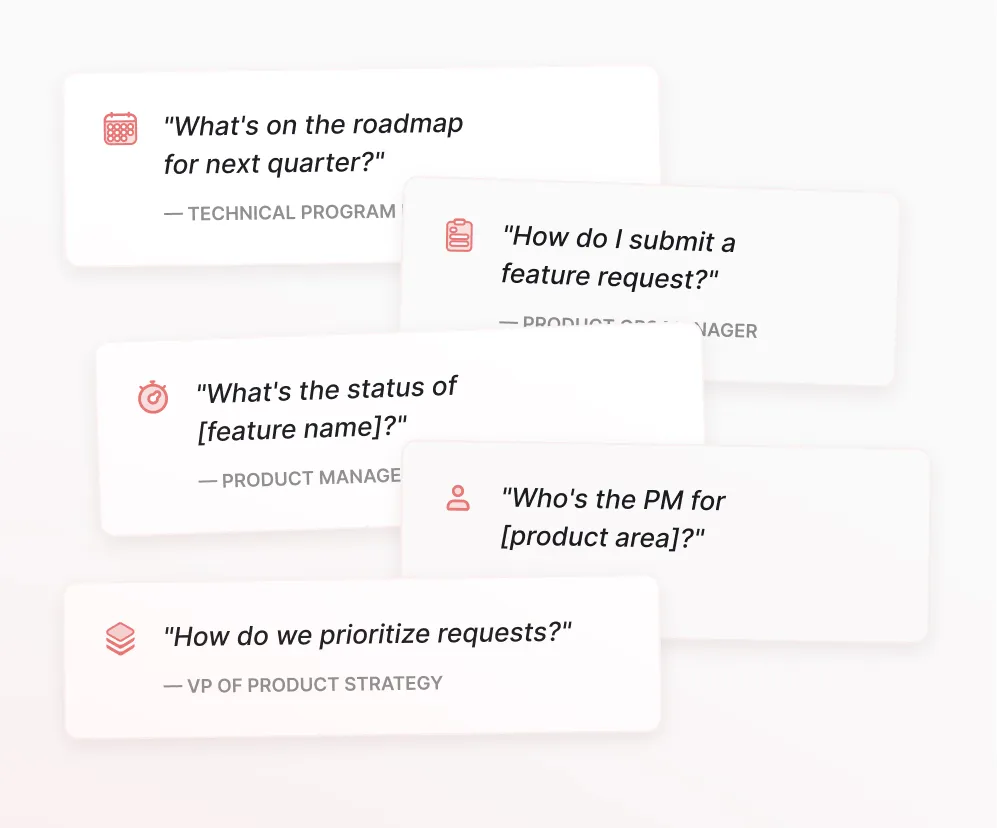
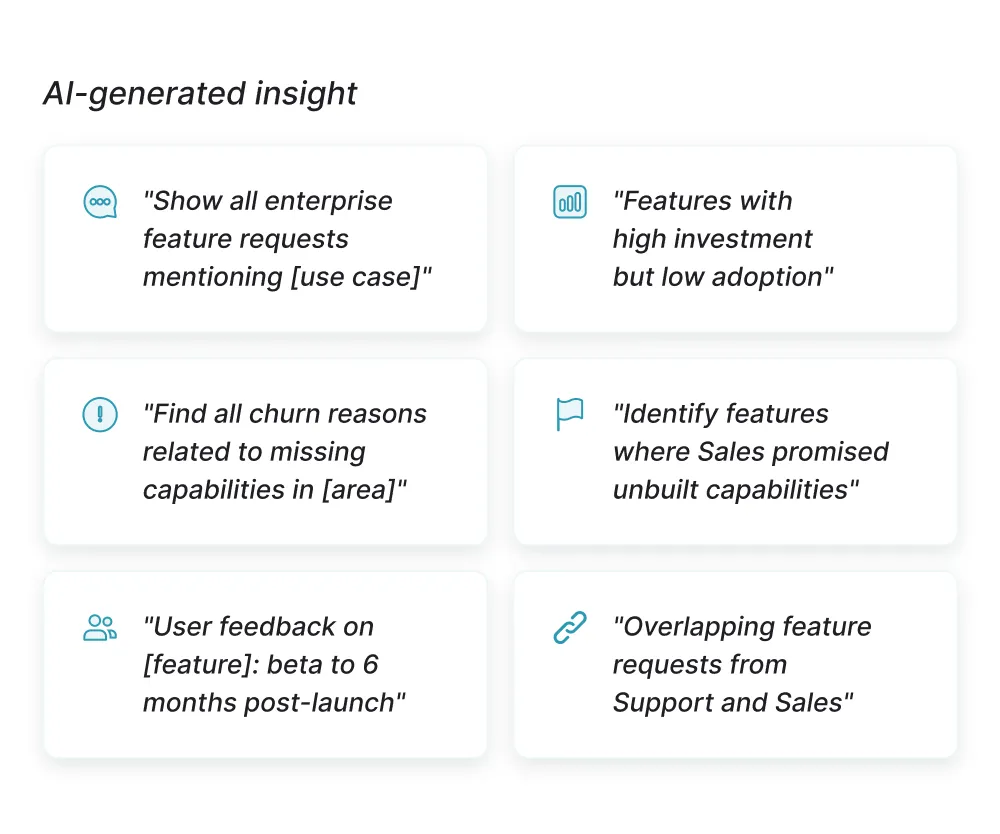
Every team asks Atolio different questions, and it searches the same connected tools for all of them. Open a team to see the questions it asks most.
Sales
Find account history, past deals and competitive notes before every call.
See how Atolio can help
“What's the latest with [company]?”
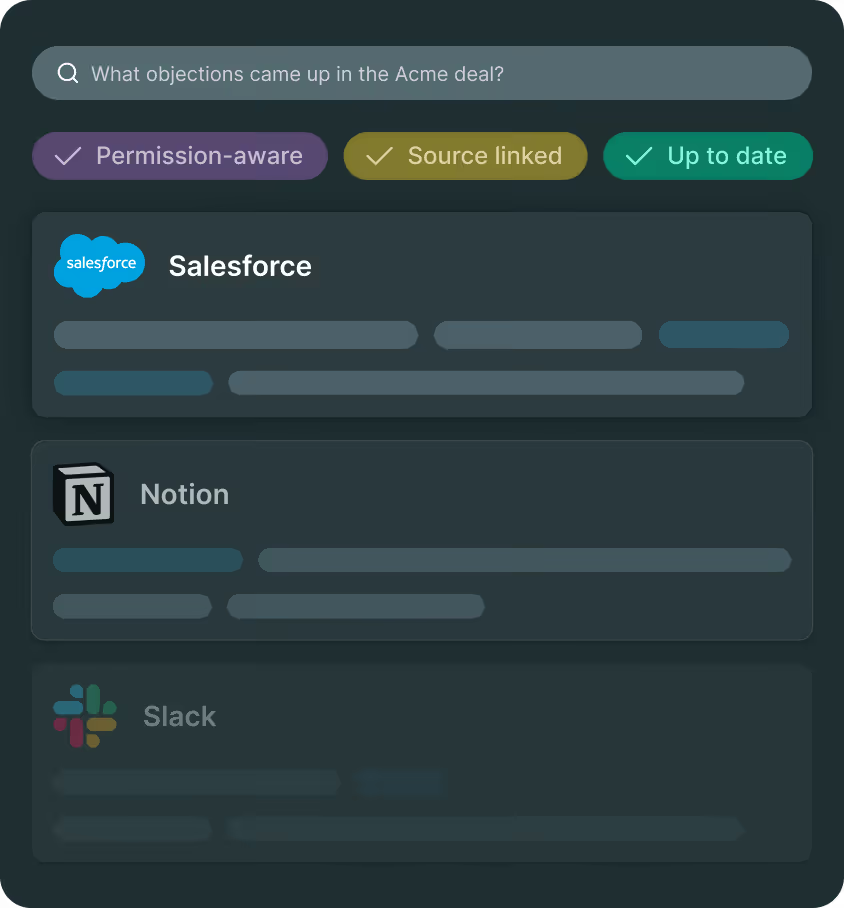
“What objections came up in the [Company] deal?”
“Find our latest battlecard for [Competitor]”
“Which [industry] customers could be a reference?”
Engineering
Find code context, design decisions and past incidents across your tools.
See how Atolio can help
“How does [service] work, and who owns it?”
“Why did we choose [technology]?”
“Have we seen this error before?”
“Where's the runbook for [service]?”
IT & Operations
Answer access questions and find known fixes before they become tickets.
See how Atolio can help
“How do I get access to [app]?”
“What's the known fix for [issue]?”
“Who owns [system]?”
“Where's the setup guide for [tool]?”
People & HR
Find current policies and the right person to ask about them.
See how Atolio can help
“What's our current [policy] policy?”
“How many vacation days do new hires get?”
“Where's the onboarding checklist for [role]?”
“Who should I ask about [benefit]?”
Up NextFind out where Atolio runs and where your data stays.
2 - Where Atolio Runs: Self-Hosted in Your Environment
Atolio runs in your company’s own cloud or data center, not Atolio’s.
Atolio Foundations · Lesson 2 of 6 · 3 min
When you search with Atolio, your company’s data stays home, in your own cloud or data center.
Where Does My Data Go?
A customer asks how your company uses AI with their data. Or your security team sends a note before the rollout. Either way, the same question lands on your desk.
Where does my data go?
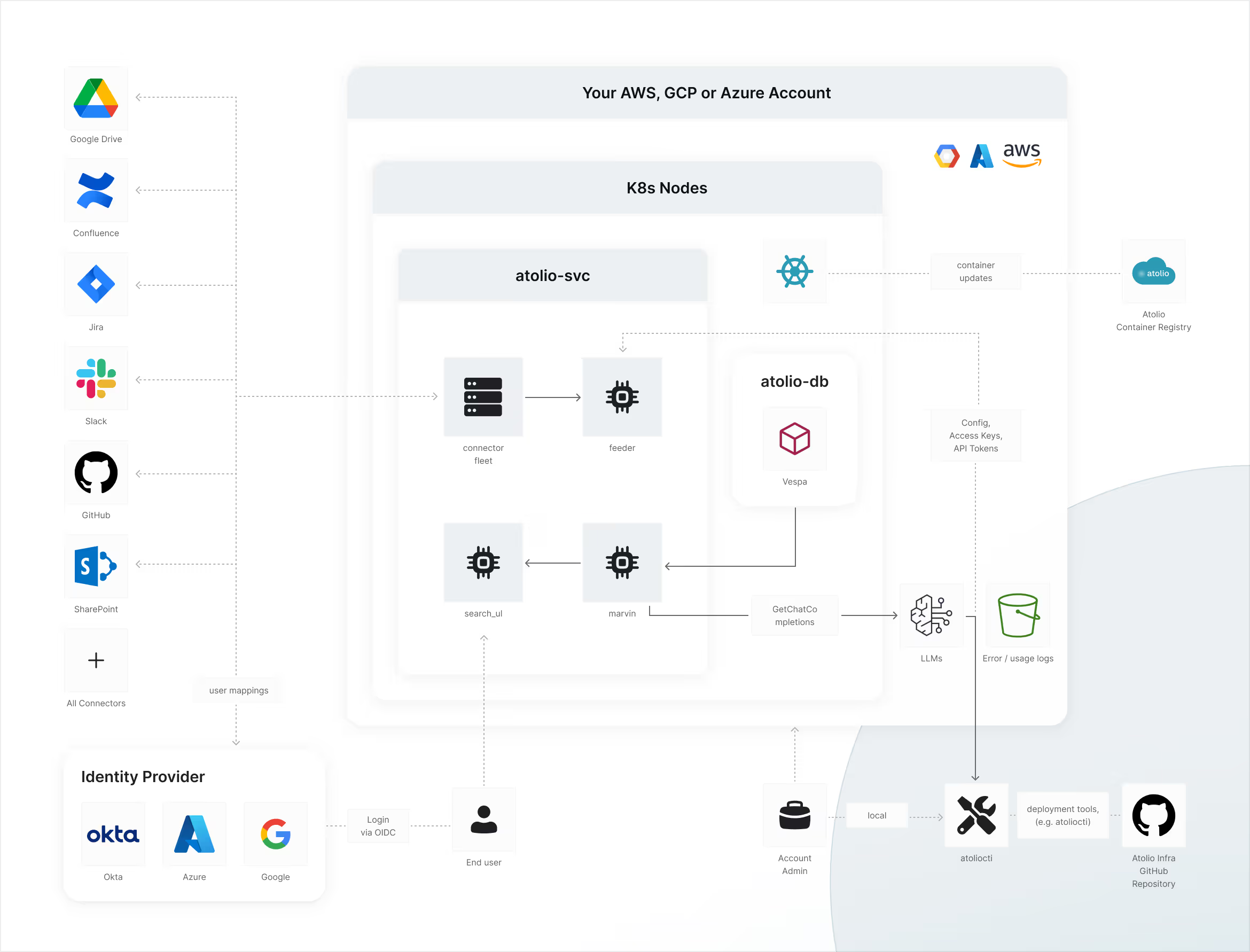
Nowhere new. Atolio runs inside your company’s own cloud account, like AWS, Azure or Google Cloud, or on your own hardware. Your content and the index built from it stay there.
Think of it like a safe installed in your own office instead of a vendor’s warehouse. Atolio built it, but it sits behind your walls and your locks.
Diagram: Inside Your Cloud
Diagram
Atolio ArchitectureSee What Runs Inside Your Own Cloud
FAQs
What's Atolio's approach to security, compliance and privacy?
Three ideas guide it. Atolio runs in your company’s own private cloud on AWS, GCP or Azure, none of your indexed content or questions goes to Atolio’s systems, and every result follows the permissions of the app it came from.
People sign in through your identity provider, like Okta, Microsoft Entra ID, Keycloak or Google Workspace.
Is Atolio self-contained? How does data flow?
Yes. Connectors pull content from your apps into an index that lives entirely in your environment, and searching and answering happen there too.
The only outside calls are the ones your company sets up, to its AI model provider and its connected apps, using credentials your company controls. Atolio staff only get in if your company grants temporary access, and that access is logged.
How does Atolio keep answers accurate?
Every answer is built only from content Atolio found in your index, and each claim cites its source so you can open it and check. If nothing it found answers the question, Atolio says so instead of guessing.
Does Atolio keep audit logs?
Yes. It logs searches, what was retrieved, admin changes and connector activity, and the logs stay in your environment for your security team.
Search never gives anyone more access than they already have, so asking a question a different way can’t reveal more.
Does Atolio test its own security?
Yes. Automated code scanning runs on every change, the running product is tested against attacks, and an outside security firm runs regular penetration tests. Enterprise customers can get a security package with architecture docs and test summaries under NDA.
Who holds the encryption keys?
Your company does. Data at rest is encrypted with AES-256 using your cloud’s key service, like AWS KMS, Google Cloud KMS or Azure Key Vault, and data in transit uses TLS 1.2 or higher. Your company also decides when keys are rotated.
How long does Atolio keep data?
As long as your company’s own policies say. When something is deleted or access is removed in an app, Atolio drops it from the index on its next sync.
Admins can also keep certain content out entirely. And if your contract ends, everything indexed is deleted.
Key Takeaways
Key Takeaways
Atolio runs in your company’s own environment
Your company picks the AI model
Only your question and its context reach the model
Up NextSee which apps Atolio can search and how fast it catches up.
3 - Connecting Your Knowledge Sources
Which apps Atolio can search and how fast new content shows up.
Atolio Foundations · Lesson 3 of 6 · 3 min
Atolio can only search the apps your company has connected, so it helps to know which ones.
Why Isn’t It Showing Up?
You wrote a doc this morning and searched for it right after lunch. Or you’re looking for a thread you know exists, and Atolio keeps coming back without it.
Why isn’t it showing up?
Usually it’s one of two things. The app it lives in isn’t connected yet, or Atolio hasn’t caught up with a brand new change. Your Atolio admin picks which apps are connected, and most changes show up within minutes.
Think of it like searching the photos on your phone. You only see photos from the devices that sync to it, and a photo you just took can take a moment to show up.
What a Connector Does
A connector is how an app’s content gets into Atolio. Follow one pricing deck from start to finish.
In Google Drive
Q3 pricing deckSales folder
Shared withFinanceSales
Drive connectorsynced 2 min ago
Q3 pricing deck
Content
Sharing rulesFinanceSales
Your cloud
Atolio index
Q3 pricing deckFinanceSales
#launch threadProduct
Auth fix PREngineering
Sync activitylive
EditedQ3 pricing deck2 min ago
DeletedOld price list5 min ago
Access removedEngineeringjust now
SRSales rep
"What's our Q3 pricing?"
Q3 pricing deckcited
ENEngineer
"What's our Q3 pricing?"
Not in their resultsno access
FAQs
What connectors does Atolio support, and can I connect custom sources?
Atolio has native connectors for the places most company knowledge lives, from Google Workspace and Microsoft 365 to Slack, Confluence, Jira, GitHub, Notion, Salesforce, Zendesk and ServiceNow. Self-hosted tools like Jira Data Center have their own connectors, and a web connector can index internal or public websites.
If something you rely on isn’t covered, Atolio will build the connector for you. The full list is in the Sources section of these docs.
Does Atolio inherit permissions from our source systems?
Yes. Each connector brings in who can see each item along with the content, and those permissions keep syncing. They’re checked on every search, including group memberships from your identity provider, before anything reaches the AI.
So people and AI tools only see what they could already open in the original app. Atolio never widens access.
How does Atolio stay current as content changes?
Most connectors sync in near real time, so content is usually only minutes old. Each one watches its app for new items, edits, deletions and permission changes, and updates just what changed.
When someone loses access or a doc is deleted, Atolio reflects it on the next sync. Admins can see the last sync time for every connector.
What does it take to set up a connector?
An admin in the app being connected and the credentials that app uses for integrations. Each connector has a setup guide in the Atolio docs that lists the access it needs, so your security team can review it first.
Connectors only read from your apps and never write back to them. After the first full crawl, the app stays in sync on its own.
Can Atolio connect to a system that isn't on the list?
Yes. Tell Atolio which system you need and Atolio builds the connector, with the same indexing and permission rules as the rest. That works for proprietary, on-premises and legacy systems too.
If your team would rather build it, there’s also an Atolio connector SDK with docs and support.
Can Atolio connect to on-premises and legacy systems?
Yes. Atolio can run in your own cloud or on your own hardware, even fully air-gapped. For on-premises apps, a connector runs inside your network, so those systems never need to be exposed to the internet.
Self-hosted tools like Confluence Data Center, GitHub Enterprise Server and self-managed GitLab have native connectors.
Do Copilot, Claude, ChatGPT and Gemini work with Atolio's connectors?
Yes. Each AI tool connects to Atolio once, through MCP or Atolio’s API, and can then draw on every connected app. Answers cite their sources, and an agent working for you only sees what you can see.
Does Atolio handle structured data, or only documents?
Both documents and records. CRM and ticket records come in with their fields, like a deal’s stage, amount and close date, so one question can draw on a CRM record and a chat thread together.
For documents, Atolio pulls the text from PDF, Word, PowerPoint and web pages. Data warehouse tables stay in their own systems, and AI tools reach them there instead.
Key Takeaways
Key Takeaways
Your admin picks which apps are connected
Most changes show up within minutes
Ask your admin when an app seems missing
Up NextSee why you only ever get results you’re allowed to open.
4 - Permission-Aware Search Explained
Why Atolio only shows you what you’re already allowed to open.
Atolio Foundations · Lesson 4 of 6 · 3 min
Atolio searches across all your apps, but it only ever shows you what you’re allowed to open.
Can It See My Private Stuff?
It’s your first week with Atolio. You ask a question, and answers come back from apps you haven’t even opened today. Then a thought stops you.
Can it see my private stuff?
Only you can, plus the people you’ve shared it with. Atolio reads who can open each item straight from the app it lives in, and checks you against that list every time you search, before anything reaches the AI.
Think of it like your building badge. It opens the same doors it always did, and Atolio never hands you a key you didn’t already have.
Example: The Account Plan
Example
Use CaseGet Answers Built Only from What You Can Open
What's in the Acme account plan?
Connectors in This Example
Select a connector to see what Atolio looks for there.
In Salesforce, Atolio looks for The account record, if you can open it in your CRM.
In Notion, Atolio looks for The account plan page, shared with your team.
In Slack, Atolio looks for Threads in channels you can already see.
What to Expect
How Atolio Found It
You asked about one account. Atolio found matching items in your CRM, docs and team chat, then checked each one against who can open it in its own app.
Anything you can’t open was left out before the answer was written, so the AI never saw it. A teammate with different access can ask the same question and get a different answer.
Avoid These Traps
Worrying about your DMs. Private chats and email are searchable, but only by the people in that conversation. Nobody else can find them in Atolio.
Thinking Atolio changed access. Atolio follows each app exactly. If a doc is shared with everyone, everyone can find it. Update the sharing where the doc lives.
Expecting instant updates, always. When making updates in an app, Atolio picks it up on its next sync. This period of time between apps can sometimes differ.
What Atolio Does (and Doesn’t)
It will
Follow each app’s own permissions
Check access every time you search
Pick up sharing changes on each sync
It won't
Show you anything you can’t open
Fix over-shared docs for you
Need a second set of access rules
Try It: Your Team’s Latest Doc
Try It Now
Where's my team's latest planning doc?
Key Takeaways
Key Takeaways
Atolio follows each app’s permissions
Private chats stay with the people in them
Fix over-sharing in the app it came from
Up NextLearn the habits that turn a question into a sharp, cited answer.
5 - How to Search Like an Expert
Simple habits that turn any question into a sharp, cited answer.
Atolio Foundations · Lesson 5 of 6 · 3 min
You don’t need the right keywords to find things in Atolio. Ask the way you’d ask a coworker.
How Do I Ask This Better?
You asked Atolio a quick question and got back a pile of results. Some are close, none are quite it, and you’re not sure what to try next.
How do I ask this better?
Add a little context. Say who or what it’s about, the type of doc you want and when. Atolio matches your words and their meaning, so plain language works, and a few details make it sharp.
Think of it like asking a librarian. “Something about onboarding” gets you a shelf. “This year’s onboarding checklist for engineers” gets you the book.
Example: The Onboarding Guide
Example
Use CaseAsk Once and Search Every Connected App
Find the Q3 onboarding guide
Connectors in This Example
Select a connector to see what Atolio looks for there.
In SharePoint, Atolio looks for Sites, pages and files your company shares.
In Confluence, Atolio looks for Pages, blog posts, comments and attachments.
In GitHub, Atolio looks for Pull requests, commits, reviews and issues.
In Slack, Atolio looks for Channels and threads the Atolio bot is in.
In Gmail, Atolio looks for Email messages you sent or received.
In Salesforce, Atolio looks for Accounts, opportunities, contacts and leads.
What to Expect
How Atolio Found It
You asked for something specific, a guide from one quarter. Atolio matched your words and their meaning across every connected app, then ranked the results using details like dates.
So the guide you meant comes first, not every doc that mentions onboarding. Ask also cites every source, so you can open it and check.
Avoid These Traps
Searching in keywords or titles. “RCA database Q3” makes Atolio guess. “What caused the Q3 database outage?” tells it exactly what you want, so ask in plain words.
Starting over after a weak answer. Your next question keeps the context. Follow up with “check Notion too” or “just Slack” instead of typing it all again.
Overthinking the perfect prompt. There’s no special wording to learn. Ask the way you’d ask a teammate, in a sentence or two, and let Atolio do the searching.
What Atolio Does (and Doesn’t)
It will
Understand natural language
Keep context when you follow up
Cite every source it used
It won't
Need the exact words from a doc
Know things nobody wrote down
Need a special way of asking
Try It: Add Who, What and When
Try It NowCopy this into Atolio and swap the [brackets] for your own details.
Find the [team] [doc type] from [time frame]
Key Takeaways
Key Takeaways
Ask in plain language
Add who or what, type and when
Follow up instead of starting over
Up NextGrab ready-to-use prompts for the questions everyone asks.
6 - Prompt Appendix: Atolio Foundations
Starter prompts for finding docs, people, updates and past decisions.
Atolio Foundations · Lesson 6 of 6 · 2 min
Everything you’ve explored in this track, from your first search to sharper questions, is packaged here as ready-to-use prompts to help you get started.
What Do I Ask?
You’ve seen what Atolio can do. But the first time you open it on your own, the empty search box can stop you cold, and one question takes over.
What do I ask?
That’s the objective of this appendix. The prompts below are grouped by what you need and written the way you’d ask a teammate. Pick a tab, copy a prompt, swap anything in [brackets] for your own details and run it.
Pick What You Need
Find a Doc. Find the current version of any doc or policy.
Where's the latest approved [doc type] template?
When to use it When you need the current approved version of a template.
What you get The latest approved template, with its source.
What's our current [topic] policy?
When to use it Before sharing data externally or onboarding a vendor.
What you get The current policy and when it was last updated.
Find the [team] [doc type] from [time frame]
When to use it When you know roughly what it is and when it was made.
What you get Matching docs from that time, newest first.
Find a Person. Find who owns what and who knows the most.
Who owns [system], and which team runs it?
When to use it Instead of asking around in chat.
What you get Docs and threads naming the owning team or person.
Who knows the most about [topic]?
When to use it When you need someone who has worked on a topic.
What you get People most active on that topic, with their work.
Who worked on [project]?
When to use it When you join a project that’s already underway.
What you get The people on the project and what they worked on.
Find the Why. Find why something was decided, and by whom.
Why did we choose [technology or tool]?
When to use it To recover why a past decision was made.
What you get Design docs, tickets and threads behind it.
Who decided [decision], and when?
When to use it When you need to know who made a call and when.
What you get The decision, who made it and when, with sources.
Where was [decision] discussed?
When to use it When you want the full conversation behind a choice.
What you get Threads, meeting notes and docs that discussed it.
Get an Update. Get up to speed on a project, account or topic.
What's the latest with [company]?
When to use it Before a meeting with a customer or prospect.
What you get CRM records, call notes, tickets and threads.
What's the latest on [project]?
When to use it When you come back from time off or join late.
What you get Recent updates, decisions and open questions.
What have customers said about [topic]?
When to use it To hear what customers actually said about a topic.
What you get Calls, tickets and notes where it came up.
Make It a Habit
Use natural languageAsk the way you’d ask a teammate.
Add a time frame“This quarter” pulls in the newest docs.
Tell it where to lookAdd “check Notion too” when you know.
Follow up if neededAsk again instead of starting over.
Up NextSee how Sales teams prep any deal with past objections and wins.